
Withdrawing a Published Article
There are many reasons a publisher needs to withdraw a published article. Sometimes, publishers need to upload a demo article to their website for CrossRef applications or testing purposes. In other cases, a journal will decide that they no longer want an article in their journal or on their website.
All scenarios can be accommodated on JAMS. Publishers can withdraw articles from the JAMS-hosted website platform without losing the article in the JAMS submissions system.
🌟Tip: If the publisher wants to amend an article rather than withdraw it, this can be done through Post-Publication Updates.
Withdrawing Articles
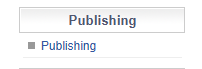
To withdraw an article from your website, head to the Publishing Menu on the left-hand side.
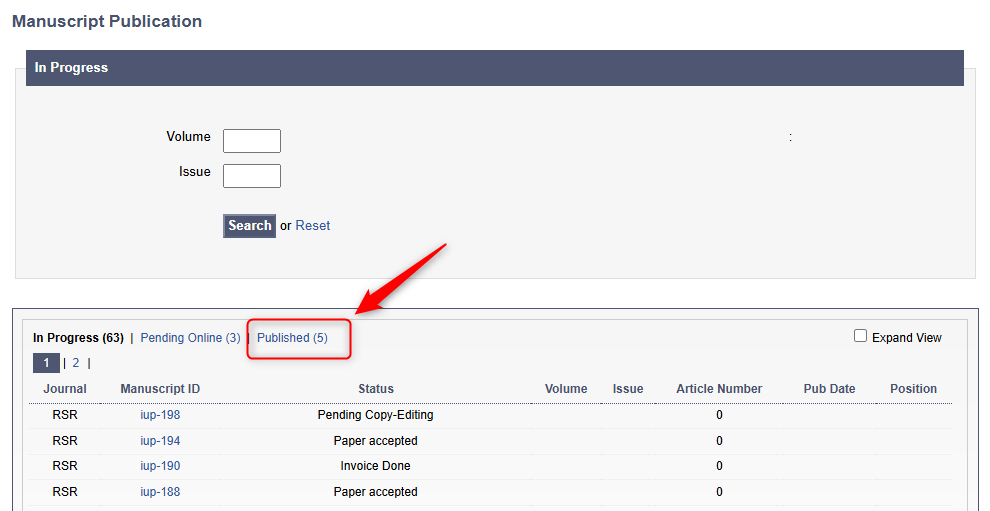
Then, navigate to the articles under 'Published'.
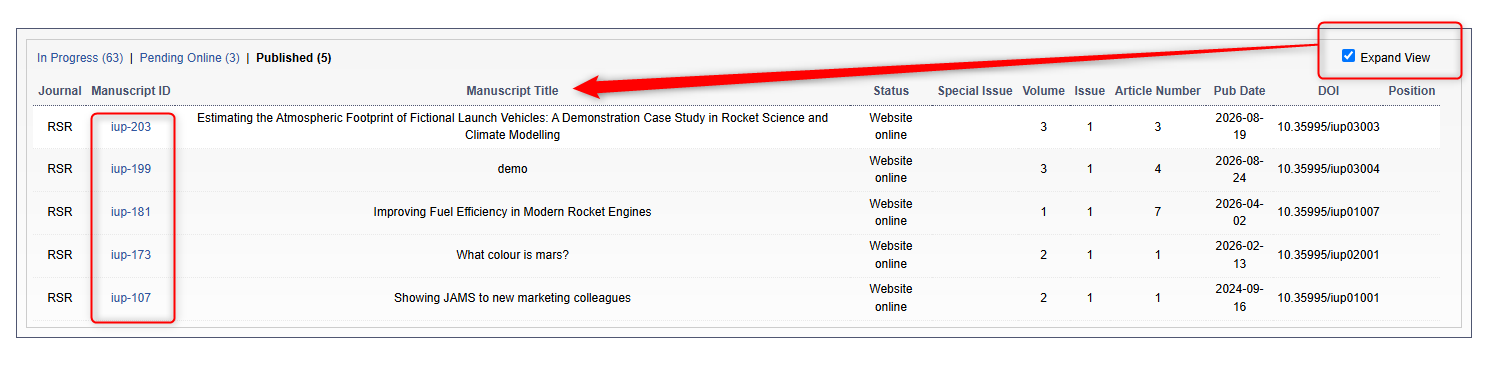
Use the Expand View check box to see the Manuscript Title. Click on the Manuscript ID you wish to withdraw.
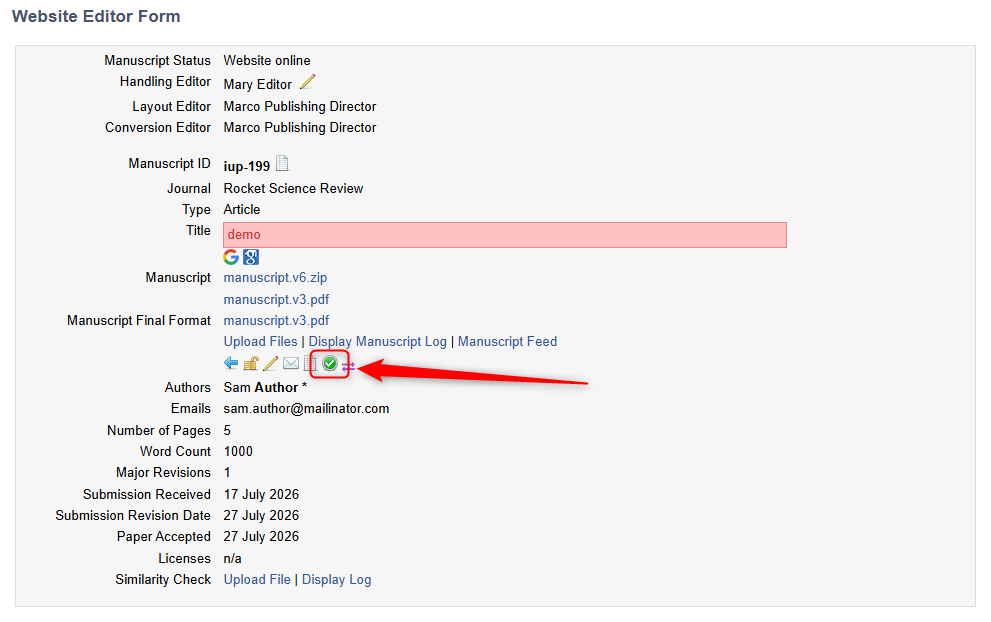
Then, click on the green check mark to find and edit the article's metadata.
From here, uncheck the Article Published box and click Submit at the bottom of the page.
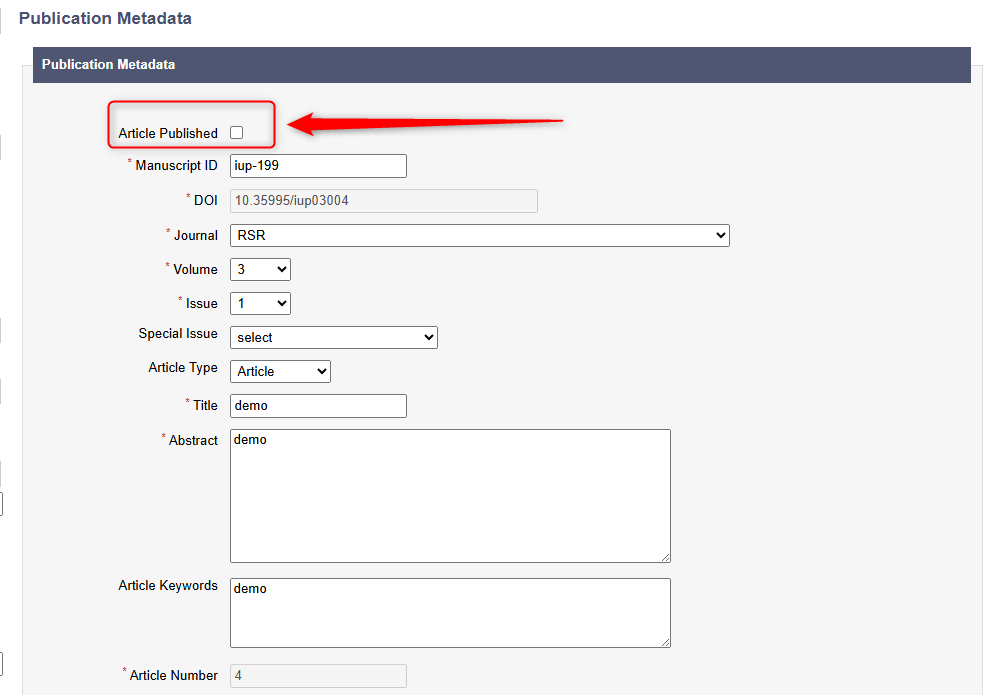
Once this has been done, the article will no longer be on the Journal Website.
Reject or Edit the Manuscript
Journals can then Reject or edit the manuscript from the editorial view. A Journal Editor can either type in the manuscript ID to the search bar or they can locate it in their submissions menu.
When arriving at the manuscript page, they can then either click 'Upload Files' to upload edited versions of the PDF and Word Files, or the blue arrow to reject the manuscript. Rejecting the manuscript will move the manuscript out of view of both editors and publishers to save confusion.
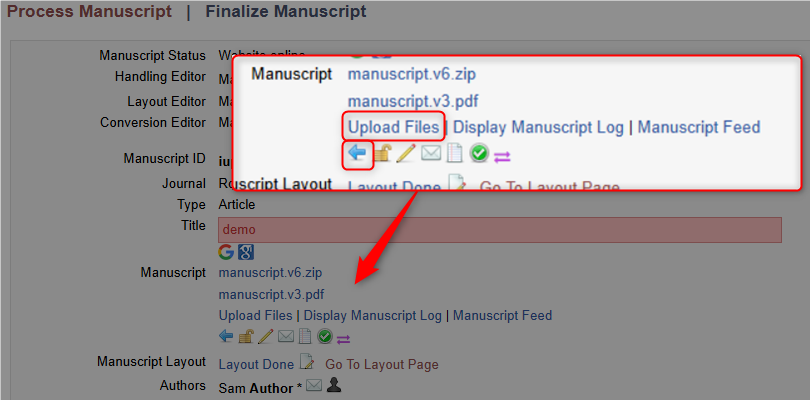
If the Publisher wants to edit the PDF or Word File and then republish the article, they can do so again in the article metadata as the manuscript status will not change unless Rejected.