
Using the Reviewer Finder
What is Reviewer Finder?
The Reviewer Finder is an AI-powered tool designed to help you identify qualified peer reviewers for manuscripts submitted to your journal. This Premium feature analyses manuscript content and suggests potential reviewers based on their research expertise, publication history, and topical relevance. By streamlining the reviewer discovery process, the Reviewer Finder helps you build strong editorial boards and maintain efficient peer review workflows.

Please Note: The Reviewer Finder is available as a premium feature for JAMS users. If you'd like to enable this feature for your journal, please contact our team at support@jams.pub.
How to Use
Step 1: Access the Reviewer Finder
Navigate to the manuscript processing page for any manuscript currently in Under Review status. On this page, you'll find a link labelled "Get Reviewer Recommendations." Click this link to launch the Reviewer Finder.
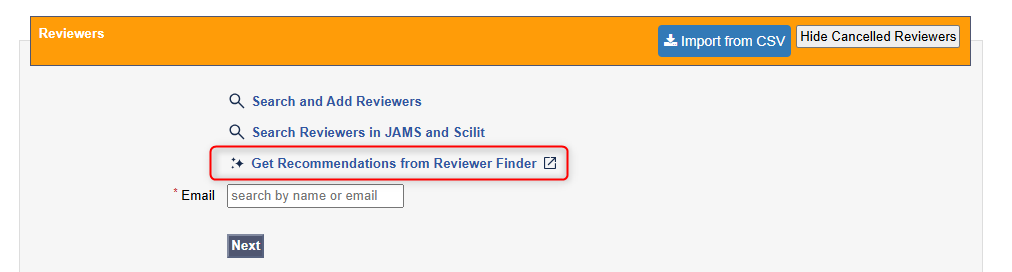
Peer Review Stage
The Reviewer Finder will open in a new browser tab, displaying a list of recommended reviewers generated specifically for your manuscript.
Step 2: Review the Recommendations
Once the Reviewer Finder page loads, you'll see a table of suggested reviewers. Each recommendation includes key information such as the reviewer's name, institutional affiliation, research areas, and relevance score.
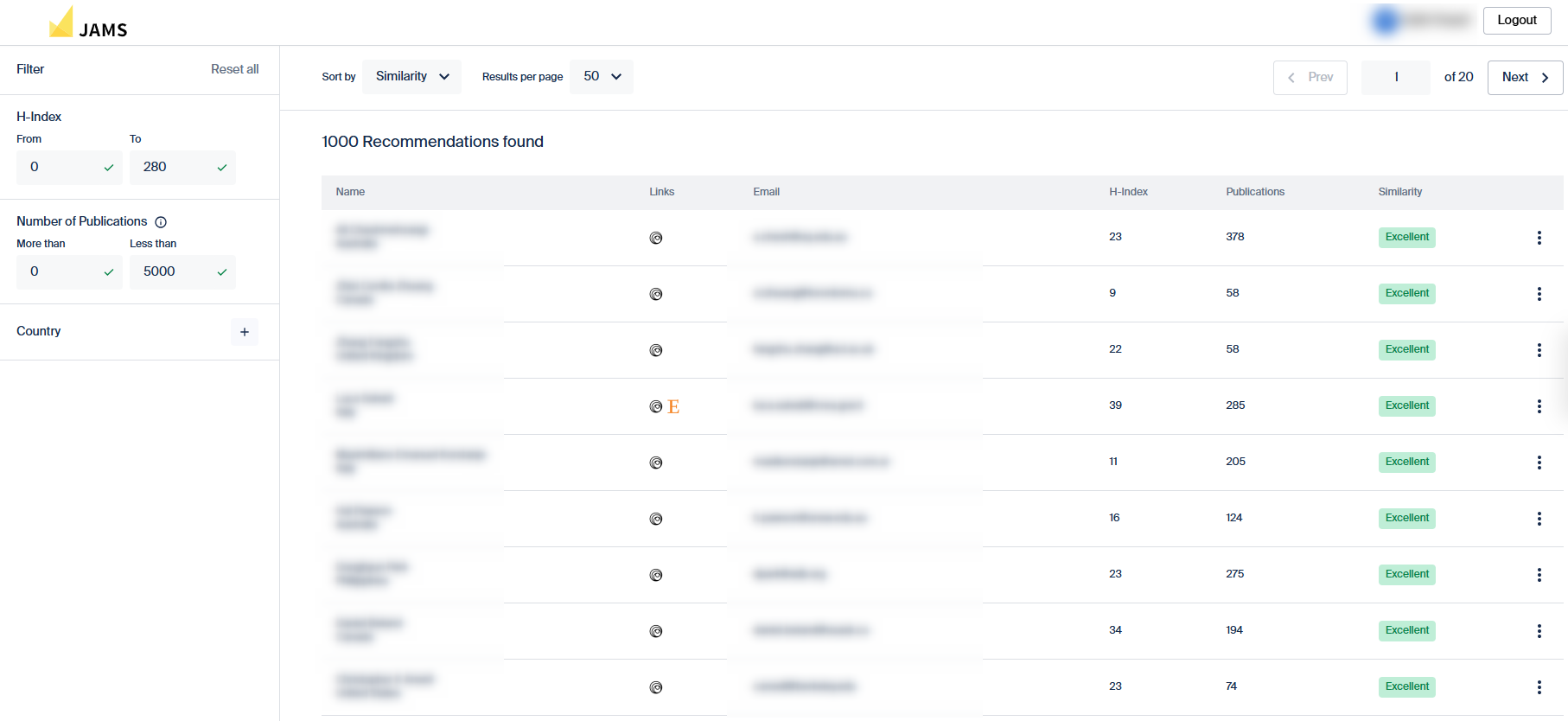
Reviewer Finder Page
Step 3: Filter and Sort Results
To refine your search, use the filtering options located in the top left of the page. You can filter recommendations by criteria such as country, institutional type, or expertise area.
Additionally, you can sort the recommendations using the controls located above the table header. Sort by relevance score, publication count, or other metrics to prioritize the most suitable candidates.
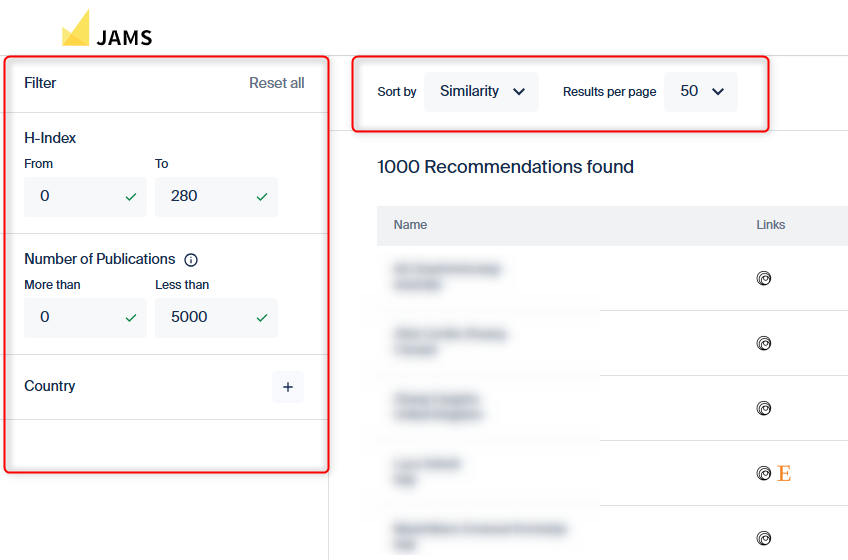
Filters and Sort by
Step 4: Examine Individual Recommendations
Click on any reviewer recommendation to open a detailed profile. This expanded view provides deeper insights into the reviewer's background, including their recent publications, citation metrics, and areas of specialization. Use this information to assess whether the reviewer is a strong match for your manuscript.
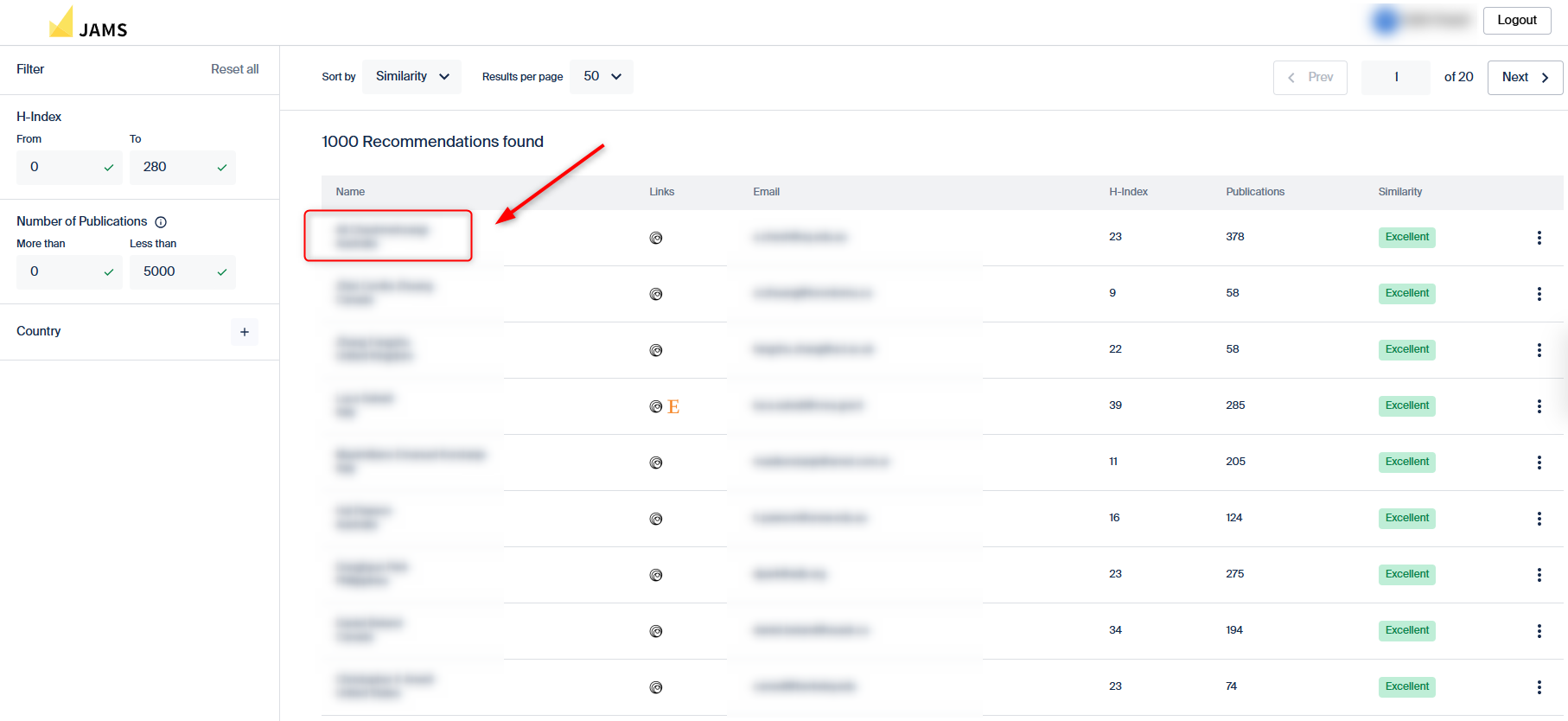
Click on Reviewer Name
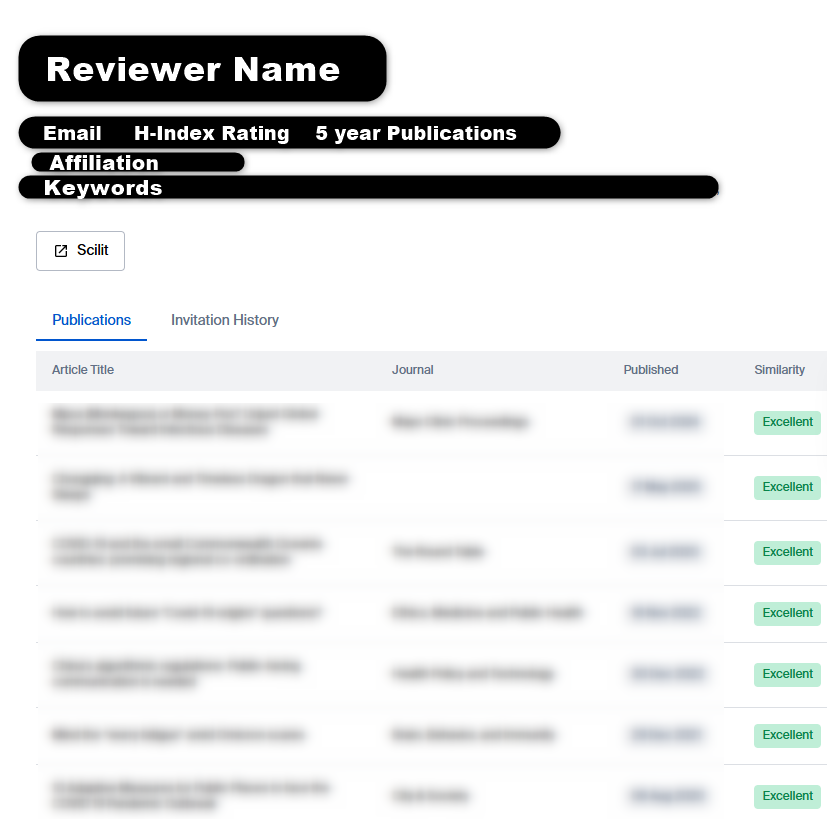
Reviewer Profile
Step 5: Add a Reviewer to Your Manuscript
Once you have identified a suitable reviewer, click the three dot icon in the Reviewer’s profile row.
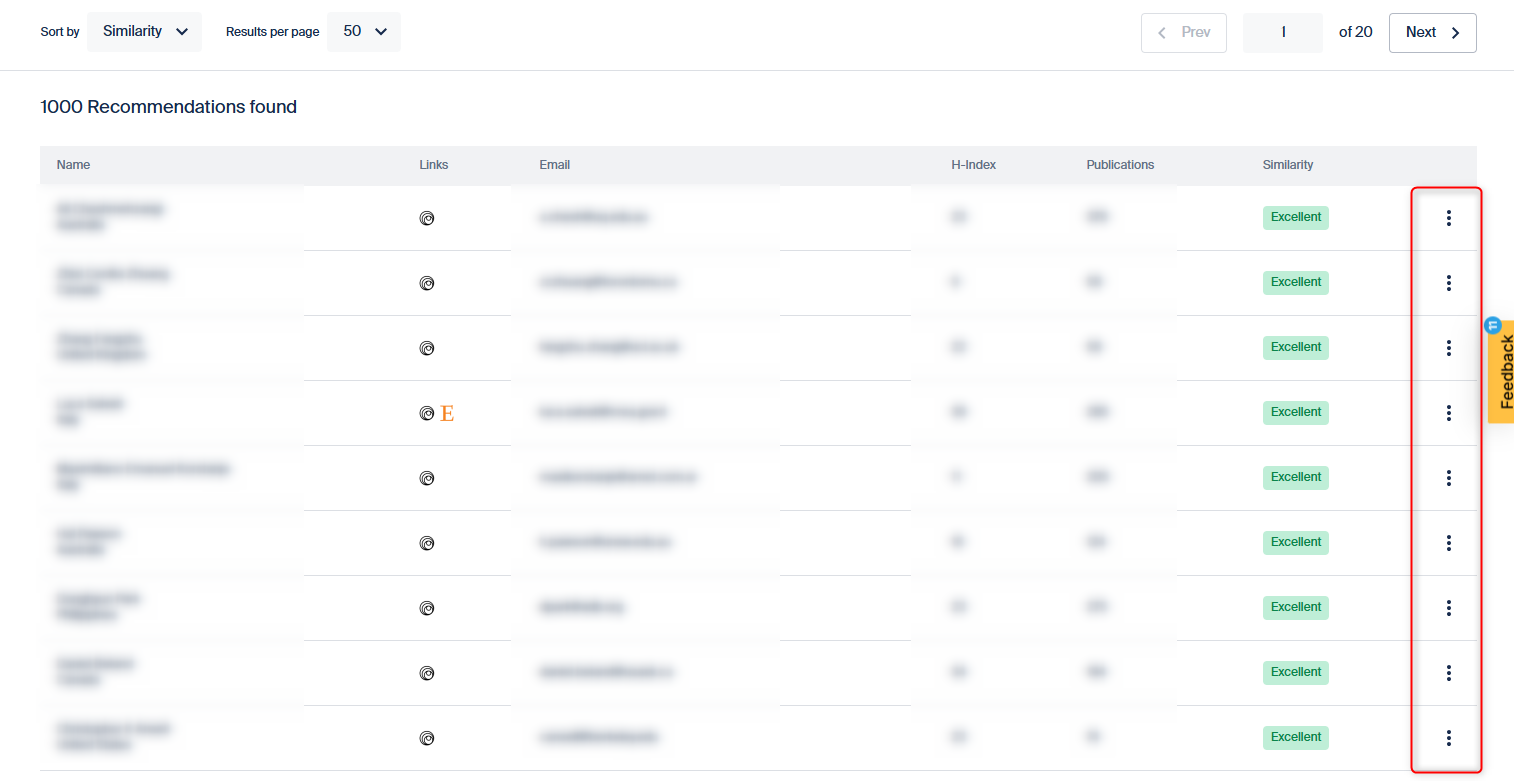
Then, click ‘Add to Reviewer List’. This function will add the Reviewer to the list of reviewers on your JAMS manuscript page for you to use in now or in the future.
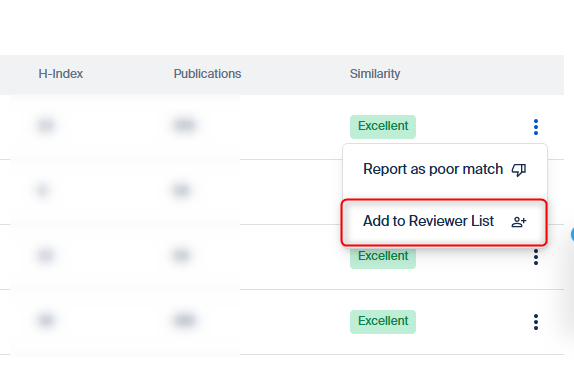
Above ‘Add to Reviewer List’, you can also ‘Report as poor match’ if the reviewer is not a correct fit for the paper. This will help to improve the reviewer finder for your future manuscripts.
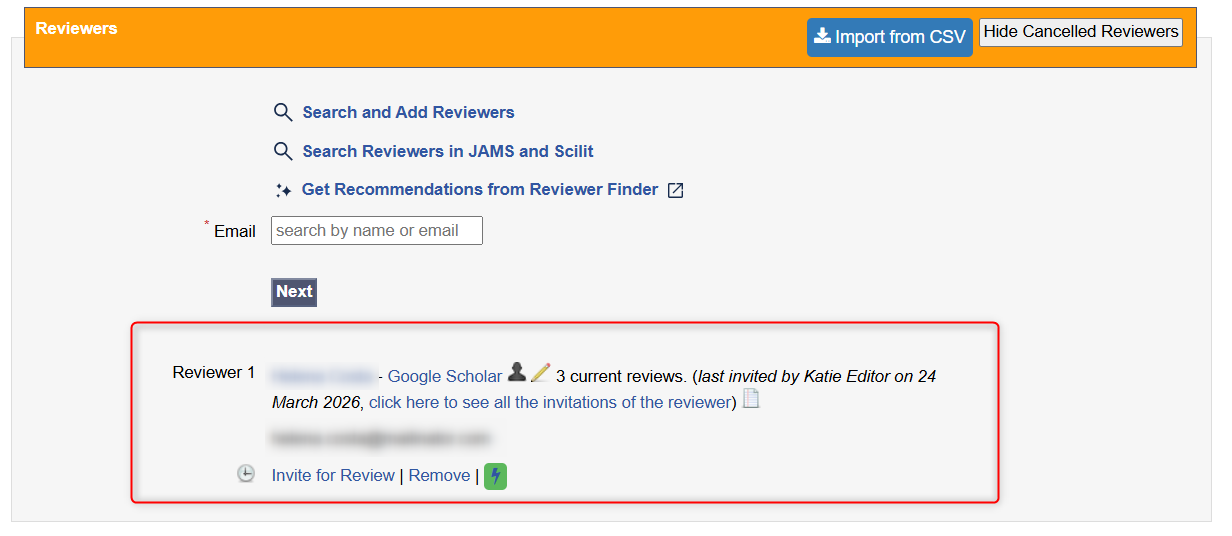
You will then be able to see the reviewer on your JAMS manuscript page and invite them to review the manuscript.
Need help?
If you have questions about using the Reviewer Finder or would like to learn more about enabling premium features for your journal, please reach out to our support team at support@jams.pub or speak with your dedicated customer success specialist.
To find out more about the Peer Review process, read this article.
To learn other ways of adding reviewers to your database, read here.