
Creating a Test Journal
Why a Test Journal is recommended
When getting started on JAMS, we recommend creating a Test Journal. Test Journals are a safe place to experiment. You can try out our different customisation options, practice common workflows (e.g. receiving manuscripts, adding reviewers, editorial decisions etc.) and have a space to train your team or demonstrate ideas to them in a safe environment.
A Test Journal is also important for avoiding mistakes on live content, especially as your team is learning the basics. Additionally, as a Super User, you can preview the author, editor and reviewer experience on your Test Journal to make sure it is customised the way you like.
How to Create a Test Journal
To do this, locate Journals under the Super User column. Then, click ‘Add New Journal’.
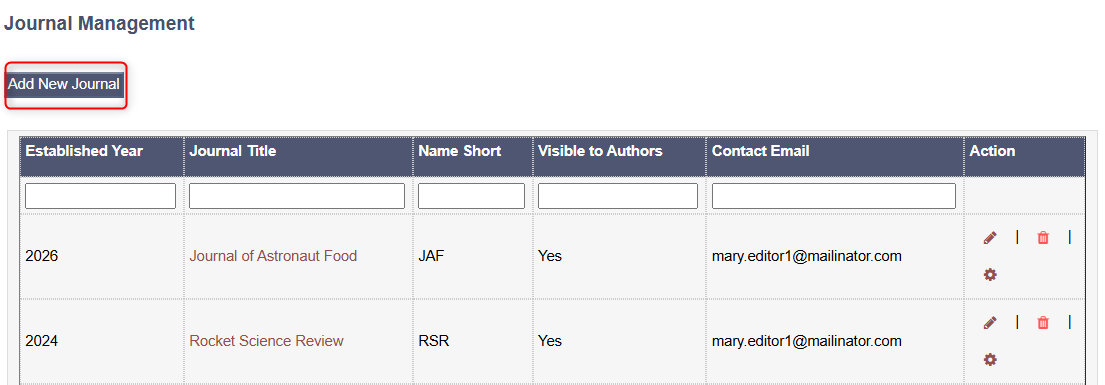
Fill in the mandatory fields with filler information. If you like, you can use the filler information we have used in the image below.
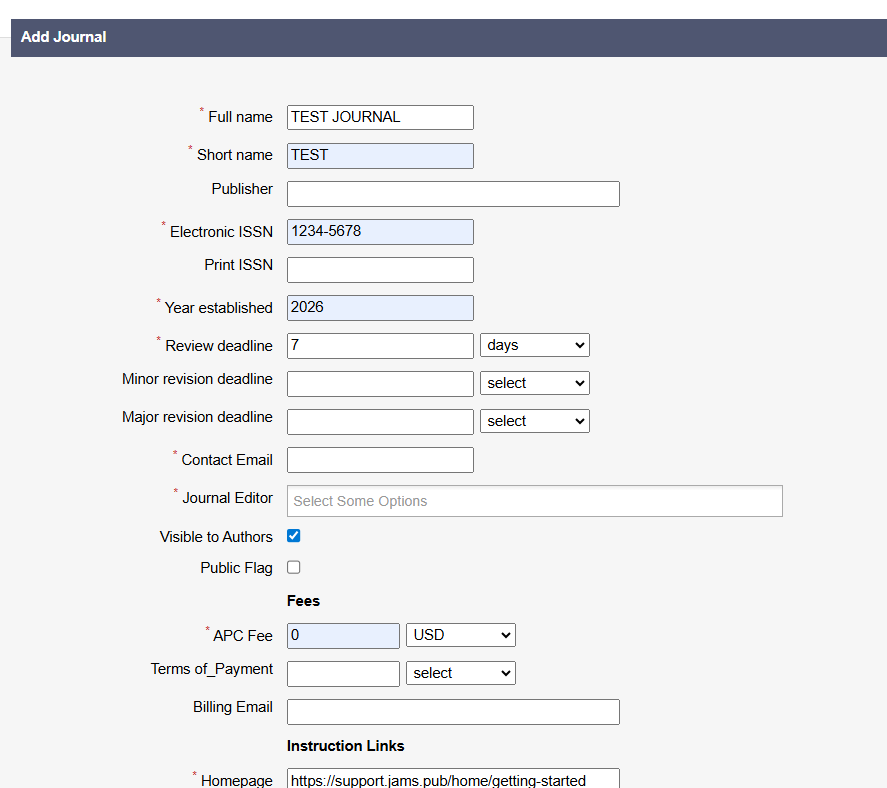
For the Contact Email, put your own account or another Super User who will be experimenting with this Test Journal. Ideally, assign the Journal Editor as the same person(s) who will be the real Journal Editor(s).

You will need to tick the ‘Visible to Authors’ box to see all of the available features. Don’t worry though, this can be changed before any real authors are using your JAMS site.
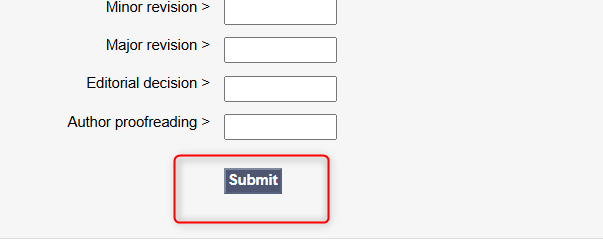
When you’re ready, click Submit at the bottom of the page! ➡️
Now you can begin to experiment with your test journal! If you like, your editors can also use this test journal to try out features.
When to use your Test Journal
To start out using your Test Journal, here are some steps we recommend experimenting with and trying out:
Updating Editor Permissions, read here.
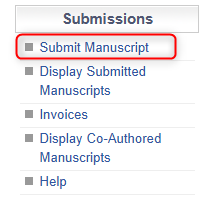
Submitting Test Manuscripts. To do this, click ‘Submit Manuscript’ and fill out the required information with filler info. Make sure you have a spare Word and PDF file to be able to upload a Test Manuscript.
Assigning manuscripts to Handling Editors, read here.
Practice the entire publishing process. As a Super User, you can give yourself all permissions, as well as impersonating other users. You can impersonate all roles key to the publishing process e.g. Handling Editor, Academic Editor, Author, Peer Reviewer etc. to see the entire workflow. This helps identify hiccups or issues before you start working on real manuscripts.
Customise Application Features, read here.
For more information and things to practice on your Test Journal, see the ‘Manuscript Processing’ section on our Support Centre.