
Journal-specific Reviewer Database
If you have several journals, each one may need a very different set of reviewers. You can keep reviewers separate by journal by turning on the 'Journal-specific reviewer database' option in Application Features.

This will add the option to categorise a Reviewer by Journal when adding them to your reviewer database.
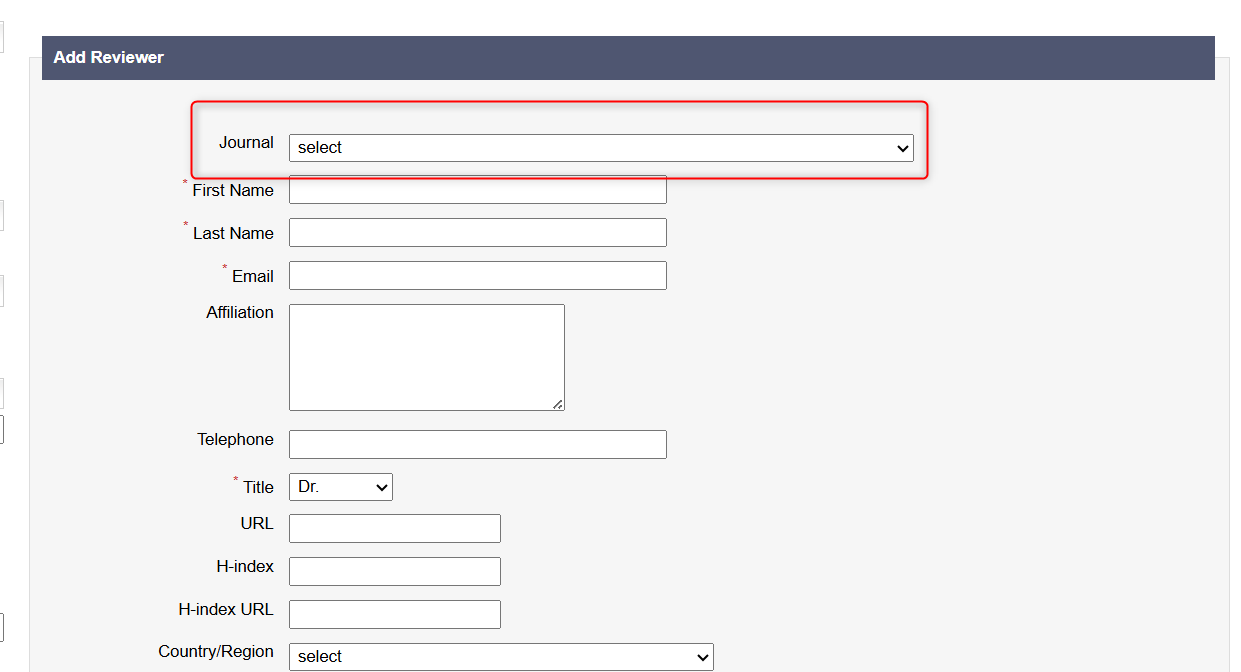
They will then only be searchable when working on a manuscript in the journal they have been assigned.
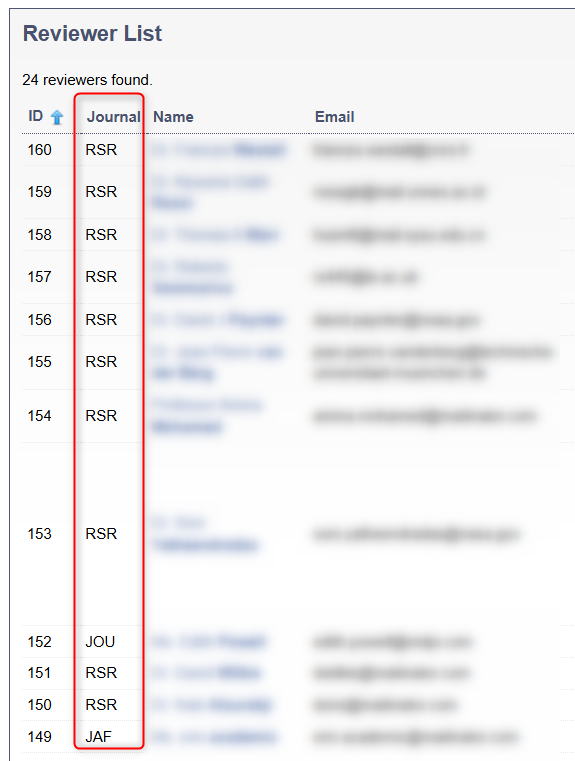
📝 Note: Only reviewers linked to one of your journals appear on the Manage Reviewers page. A reviewer with no journal will not appear anywhere, so always choose a journal when adding reviewers.
Importing Reviewers with this Option Turned On
You can import reviewers from a .csv file in the usual way. For the full steps and a guide to each column, see Reviewer Database.
When this option is on, there are a few extra things to check:
- Fill in the Journal column on every row. Enter the journal's Journal Short Name exactly as it appears in the Journals menu, e.g.
abc.

- Import one journal at a time. Use a separate file for each journal, so it is easy to check that every row has the right Journal Short Name.
- Check the results. After the upload, the number Imported should match the number of reviewers in your file. Then, filter the Manage Reviewers page by the journal to check that they appear.

Important: If the Journal column is blank, or the value does not match a Journal Short Name, the reviewer is still imported but is not linked to any journal. It will not appear on the Manage Reviewers page or in reviewer searches on manuscripts. Importing the same file again will not fix this, because those rows are skipped as Duplicated. Contact the JAMS support team and they can link the reviewers to the correct journal for you.
Reviewers Who Work for More than One Journal
JAMS matches imported reviewers by email address across all of your journals. If a reviewer is already in the database for one journal, an import for a second journal skips them as Duplicated.
To add the same reviewer to a second journal, click '+ Add New' on the Manage Reviewers page. Then, enter their details and choose the second journal.
