
A Journal is Missing from the Submission Page
This usually happens if the journal's 'Visible to Authors' setting has not been turned on in the journal settings.
'Visible to Authors' is the journal setting that controls whether authors can see and select a journal when they submit a manuscript. If it is turned off, the journal is hidden from the submission page, even though it still exists and is fully configured.
📝 Note: This is separate from whether a journal is published or has a live website. A journal can be set up correctly and still be hidden from authors if 'Visible to Authors' is off.
Important: Only a Super User can change journal settings. If you do not have access, ask a colleague with one of these roles to make the change.
Instructions
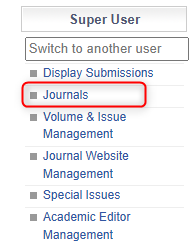
- Open the 'Journals' tab in the 'Super User' menu to see your list of journals.
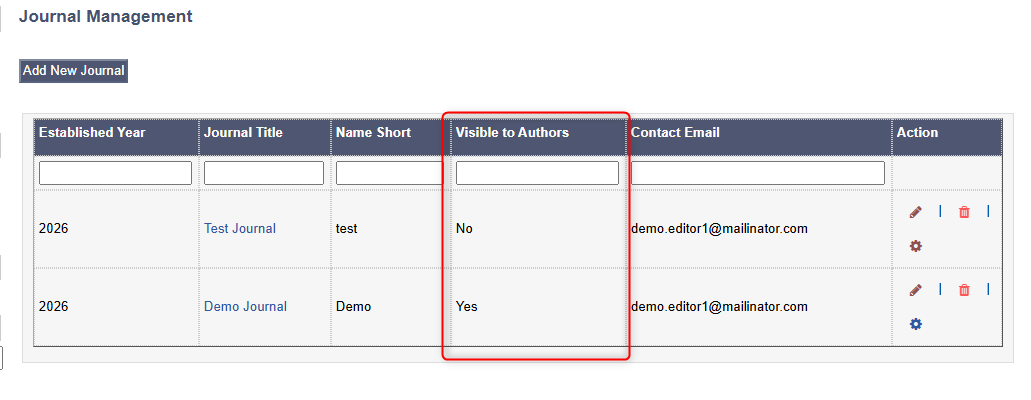
- Check if the journal is visible to authors from the journal overview page.
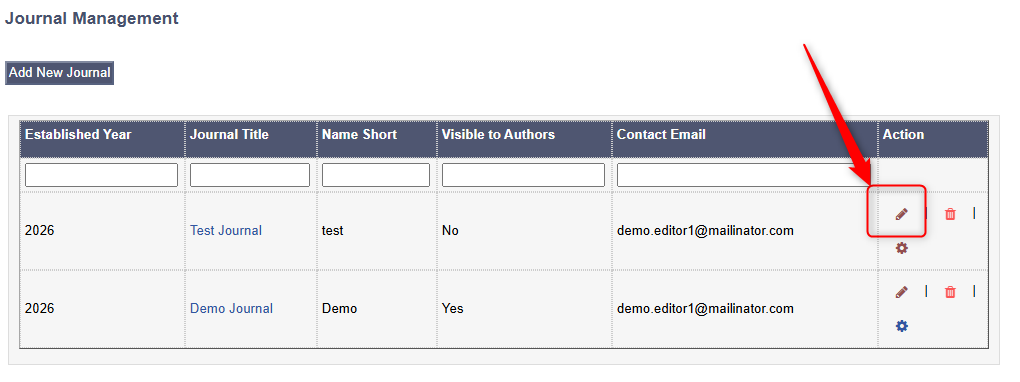
If a journal is not visible to authors, then click the pencil icon in the 'Action' column to edit its settings.
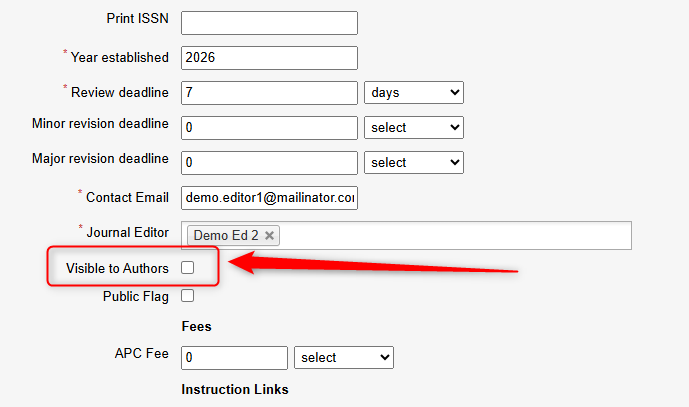
- In the journal settings, locate the 'Visible to Authors' setting and turn it on.
- Save your changes by pressing 'Submit' at the bottom of the form.
- Check that the journal now appears. Open the submission page as an author would, and confirm the journal can be selected. For a reminder of what authors see, see Submitting a Manuscript.
📝 Note: If the journal still does not appear after turning this on and saving, try refreshing the submission page. If it is still missing, contact the JAMS support team with the journal name so we can investigate.
For more on journal settings and where this option sits, see Add Journals.