
Submitting a Manuscript
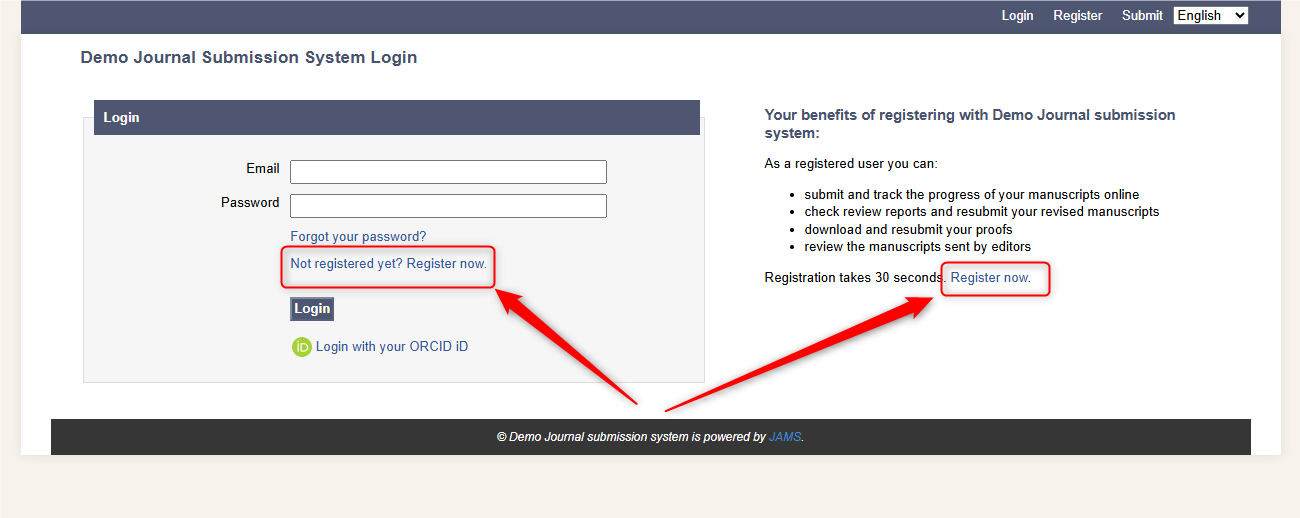
To submit a manuscript to a JAMS journal, you must create an account. The system will ask you to register an account by one of these two links.
You should then validate your email and login.
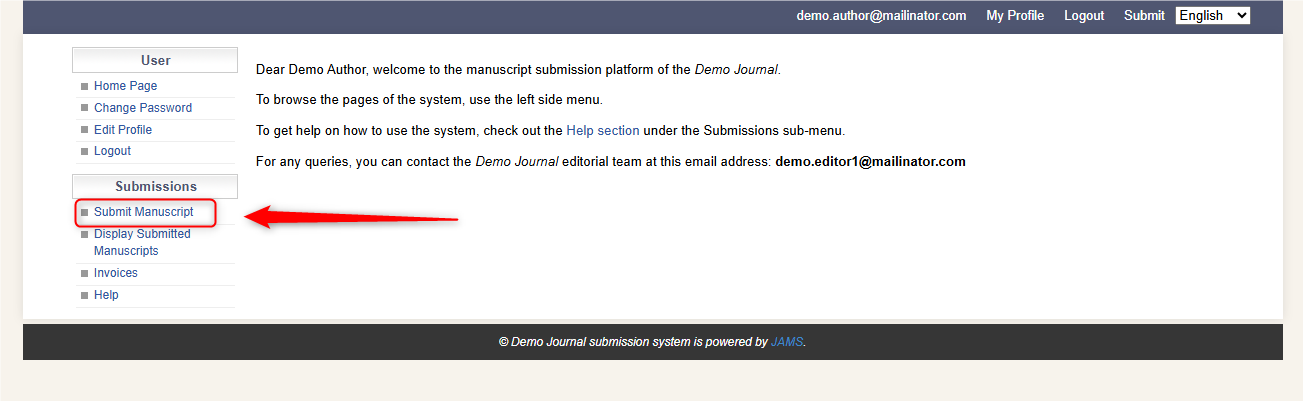
When you login, you will see a menu column on the left-hand side.
To submit your manuscript, you should click 'Submit Manuscript'.
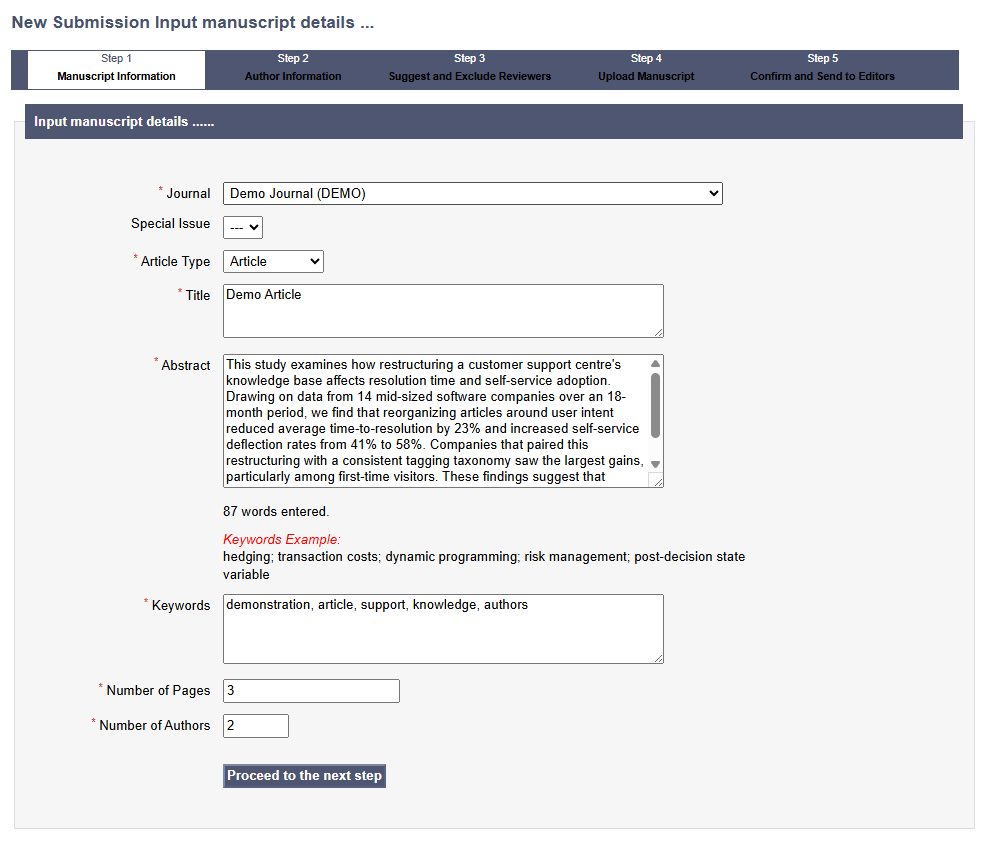
Step 1: Manuscript Information
The first step is to fill in the key manuscript information. Some sites may have multiple Journals to select from so make sure you choose the correct journal to submit your manuscript to.
Fill in the key manuscript info including Title, the full Abstract, Keywords, number of pages and authors. You can go back and check this information is correct before submitting.
Step 2: Author Information
Step 2 will ask you to input all author information. You can fill in details on behalf of other authors. Please also select which author(s) are the corresponding authors (the people who will receive communications and be responsible for emails/revisions/proofreading).
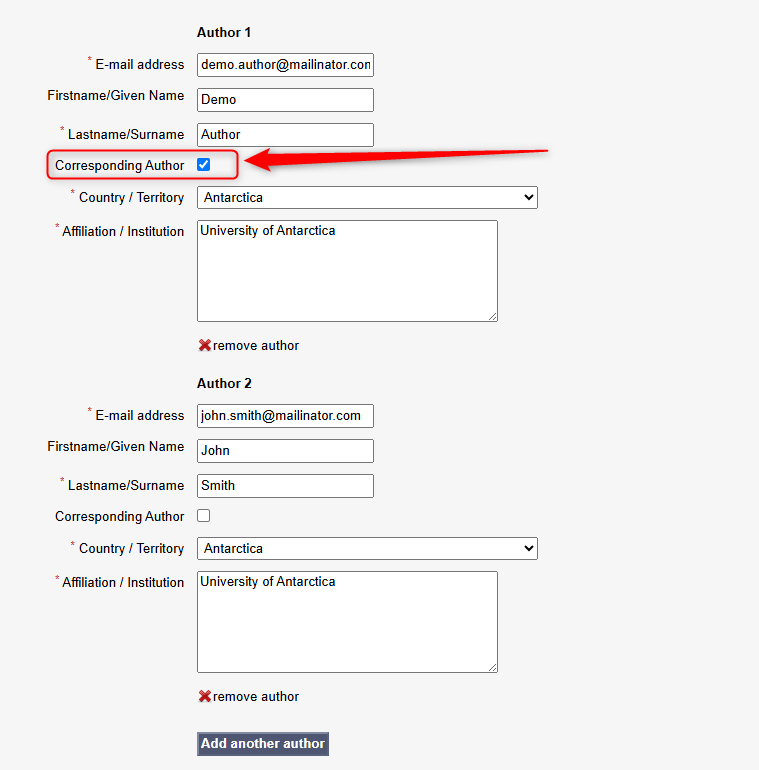
You can add as many authors as is needed by clicking 'Add another author'. All authors are required to have their names, emails, countries and affiliations in the system.
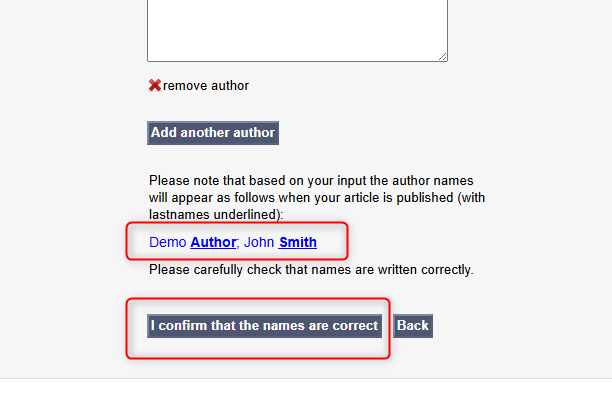
The system will then show you a preview of the author names which you must confirm are correct. Again, you can go back and change/check these anytime before submitting the manuscript.
Step 3: Suggest and Exclude Reviewers
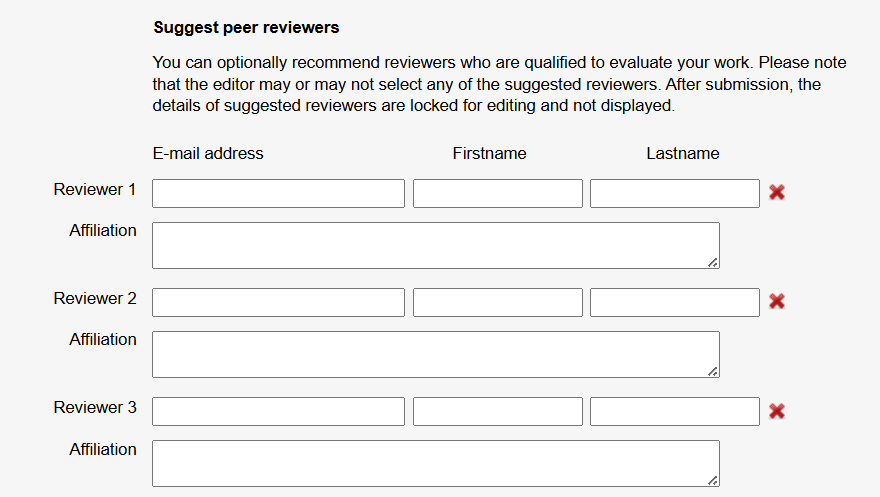
The next step is to suggest some peer reviewers for editors to use during the peer review process. Based on the Journal, this step may be optional or mandatory.
Editors won't necessarily use these reviewers, but they will be there as options for them to research.
You also have the option to exclude peer reviewers. Editors will be able to see this in case any reviewers may have a conflict of interest.
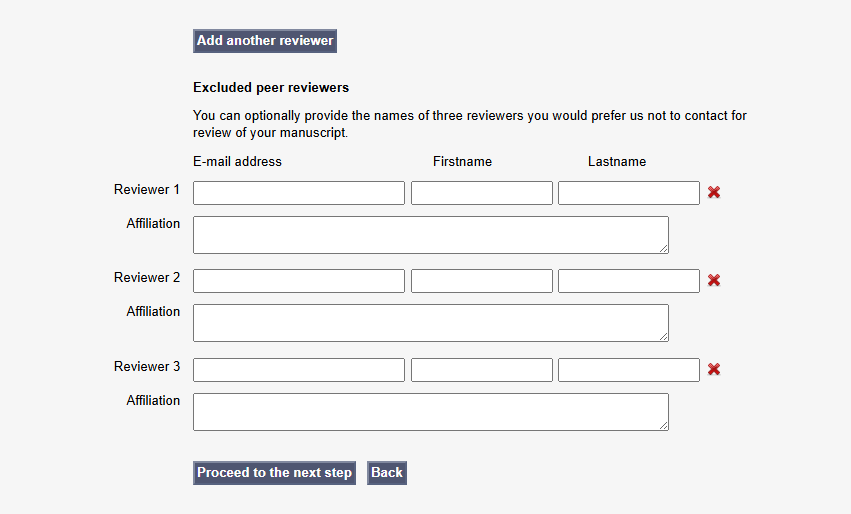
When you're happy, proceed to the next step.
Step 4: Upload Manuscript
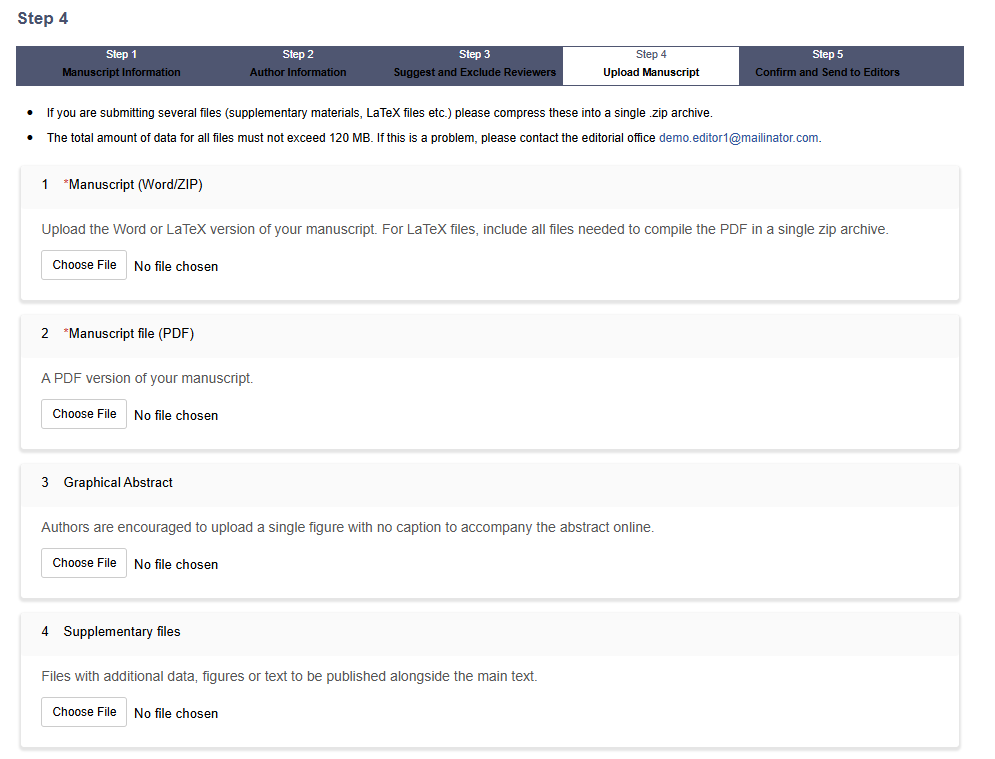
Here is where you will be asked to upload a Word/Zip File and a PDF file of the manuscript.
There are also options to add supplementary files and other additional files. Always double check with the editorial team or the Journal's author guidelines about what they require.
Step 5: Confirm and Send to Editors
Here, you will be given links to the files you have just uploaded. You can download them and double check they are the correct files.
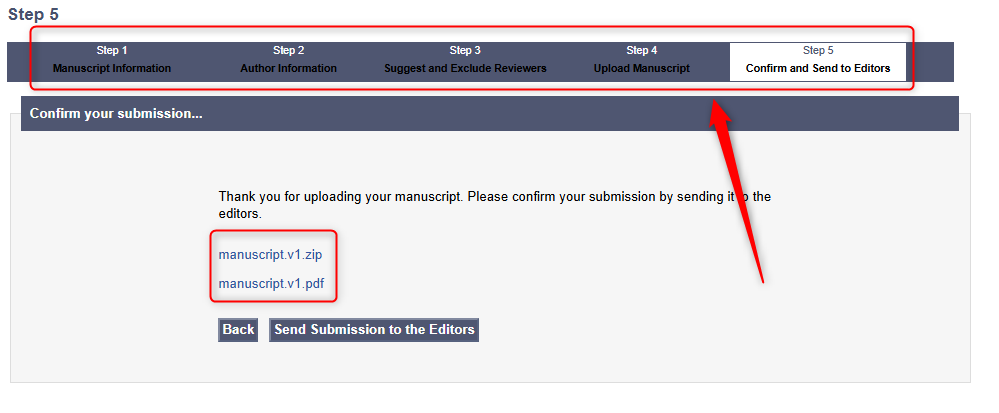
You can also click through the steps at the top to check the information you have filled in is correct.
When you are happy with your submission, you can click 'Send Submission to the Editors'.
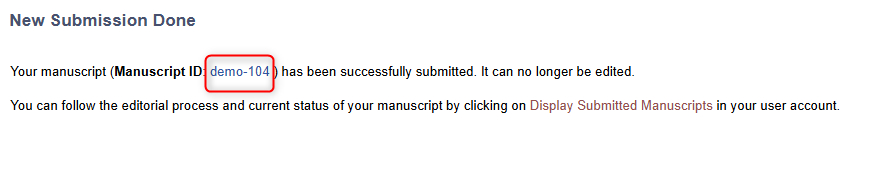
Once you have submitted, you will be given a 'Manuscript ID' which is how you can communicate to the Editors which manuscript is yours.
Checking the Status of your Submitted Manuscript
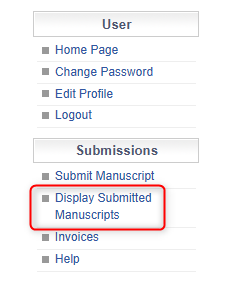
Once you have submitted a manuscript, you can check the details and status of the manuscript at anytime. To do this, log into the submissions system and click 'Display Submitted Manuscripts'.
From here, you can see the status your manuscript is under in the editorial process.
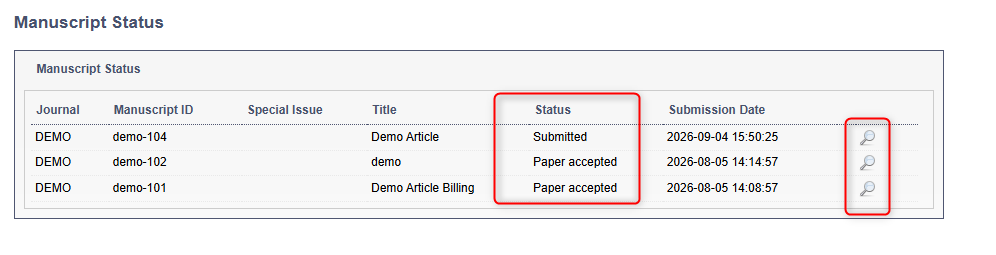
You can also click on the magnifying glass to see the details of the manuscript you have submitted.
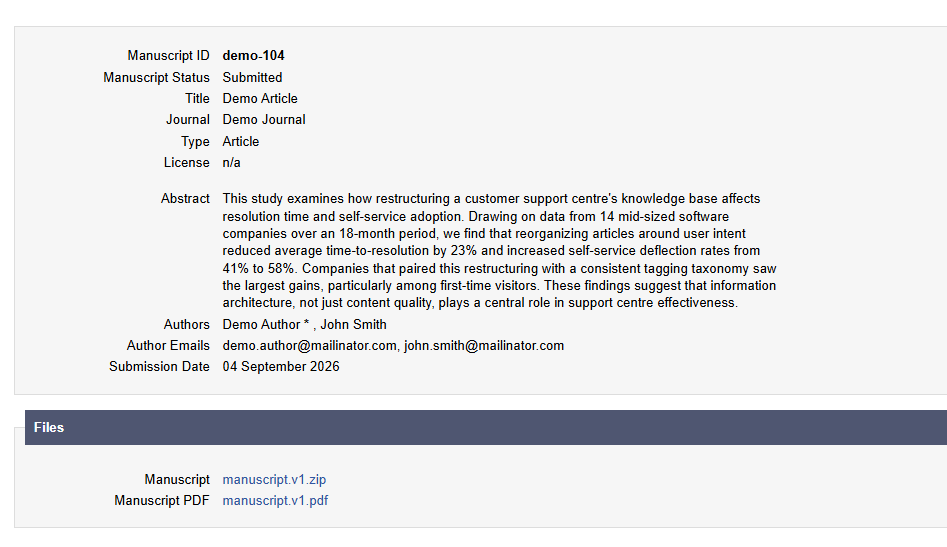
Any further enquiries into the status of your manuscript should be directed towards the contact email for the journal, which can usually be found on your home page in the submissions system.