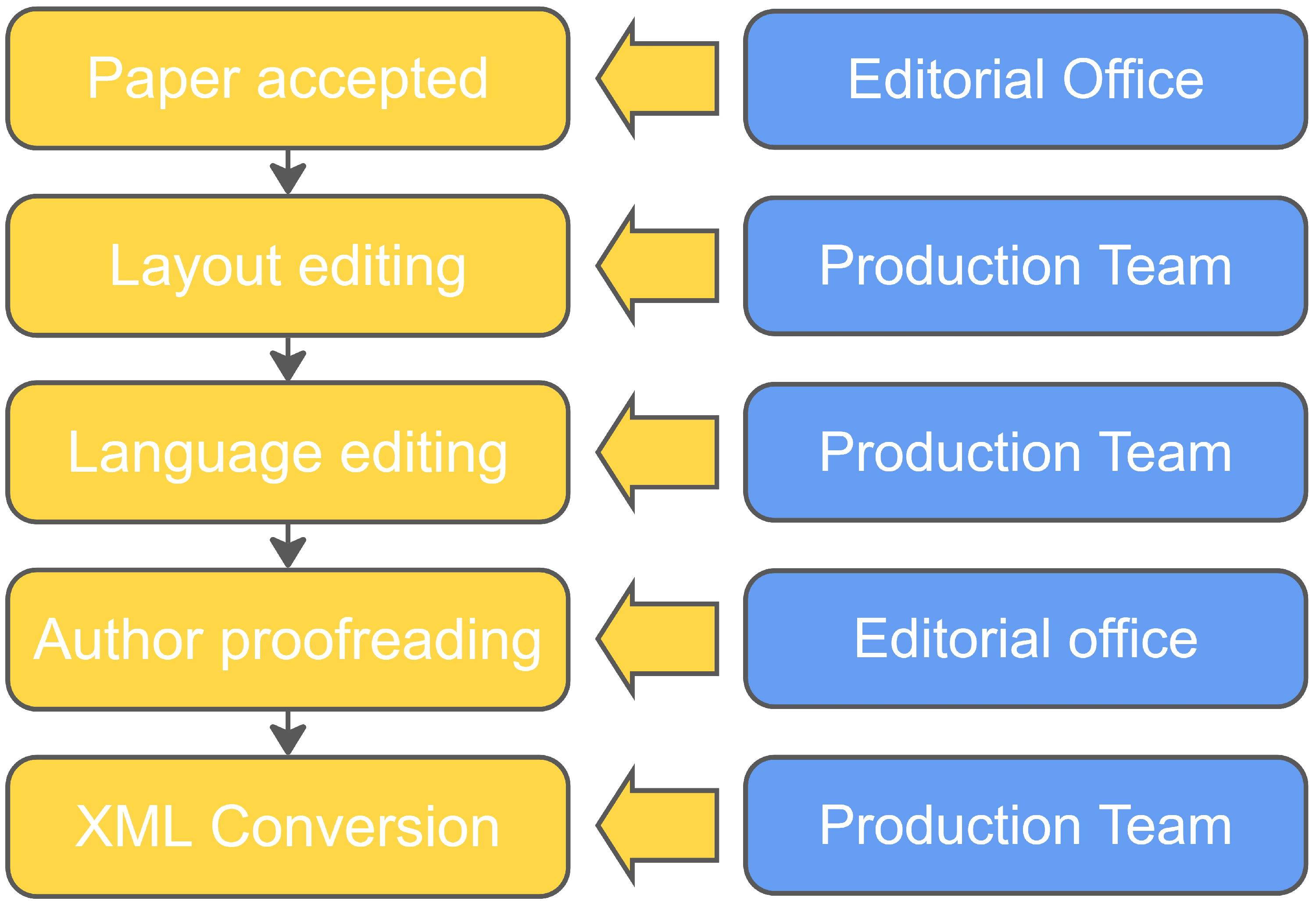
The Production Process With Your Own Staff
After a paper has been accepted, the editor can switch to the 'Finalize Manuscript tab' to begin the Production Process.
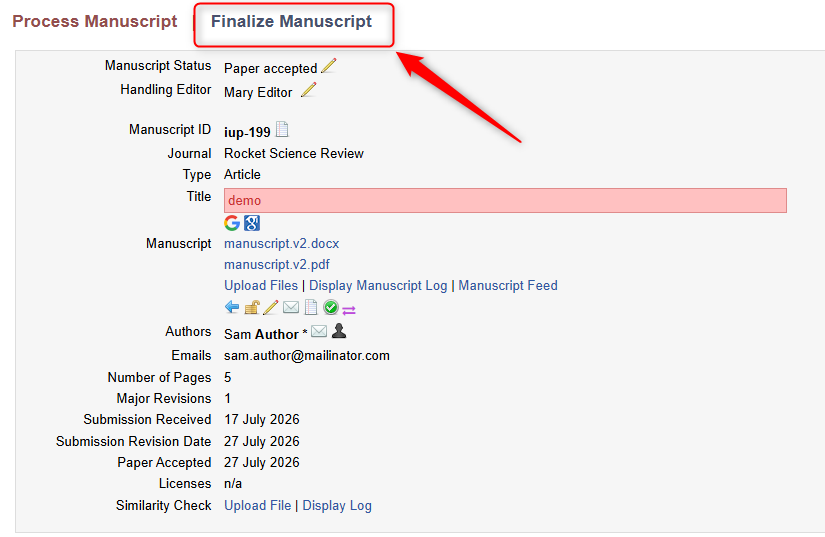
If the Billing Module has been activated, the editor will be prompted to create the Invoice for the Author.
Layout
After, the system will prompt the editor to send the manuscript to layout editing. When sending a paper to layout, an email notification is send out to the Layout mailbox entered in the platform’s website settings.
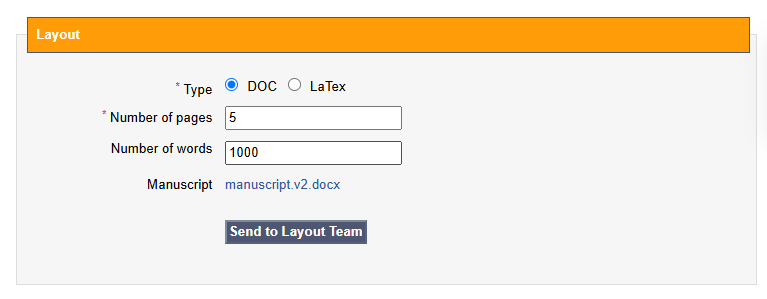
By clicking the link provided in the email, the Layout manager is able to access the paper and assign it to a layout editor for editing.
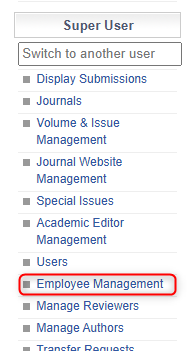
Users' permissions can be updated to encompass Layout Manager/Editor in the 'Employee Management' section here:
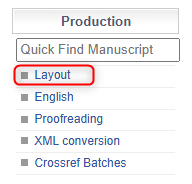
The Layout Manager can assign a Layout Editor to the manuscript by navigating to the Layout Menu here:
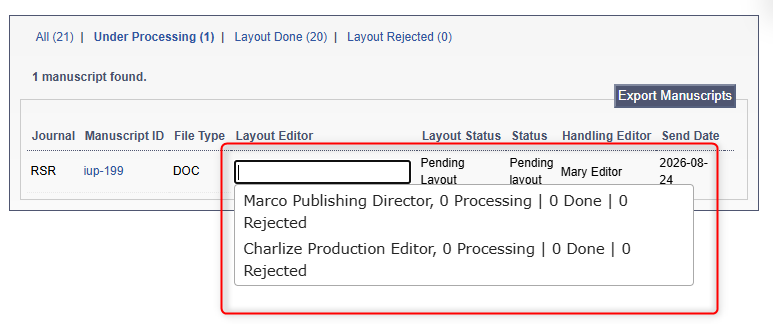
From there, the Layout Manager can assign a Layout Editor:
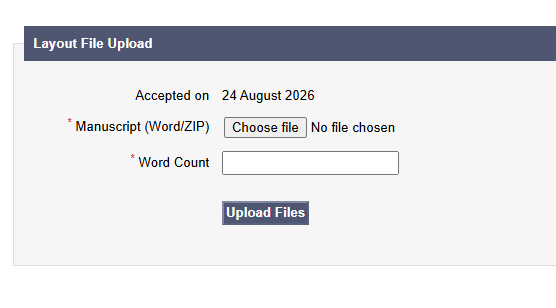
Once the layout editing is completed, the Layout Editor can upload the finished file:
Language Editing
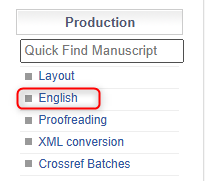
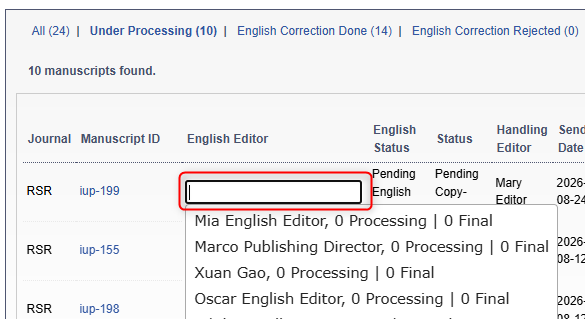
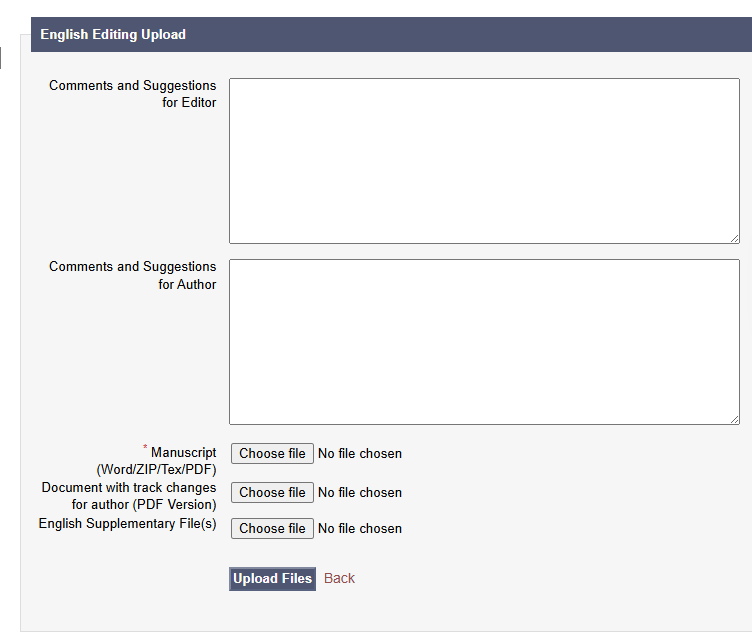
From here, the manuscript will be automatically sent to Language editing. This will also trigger an email notification to the English email address set in the website settings. English managers (can be made an English Manager in the 'Employee Management Menu) can then assign a paper to the English Editor, who will reupload edited files to JAMS.
The English Editor can upload comments for the Editor and Author while uploading the edited version:
Proofreading
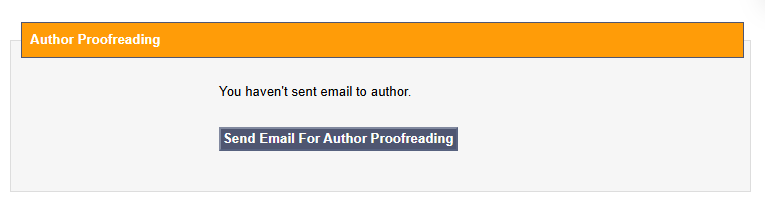
Once this step is completed, the manuscript status will be automatically updated to Pending Author Proofreading.
At this stage, the Handling Editor is sent an email asking them to request proofreading from the Author. By heading to their 'Handling Editor' Menu of following the link in the email, they can locate the manuscript and click here:
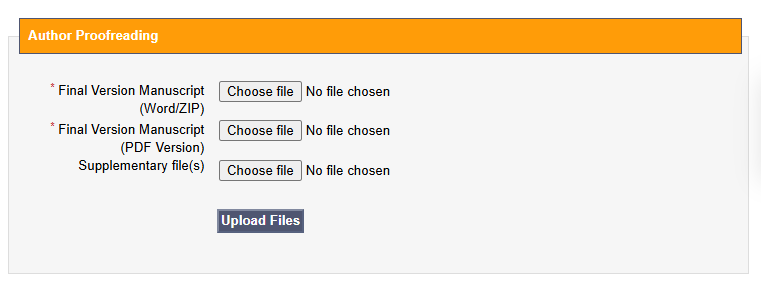
The author can follow the link in the email sent to them to reupload their proofread version. They must confirm the below statements before reuploading is available:
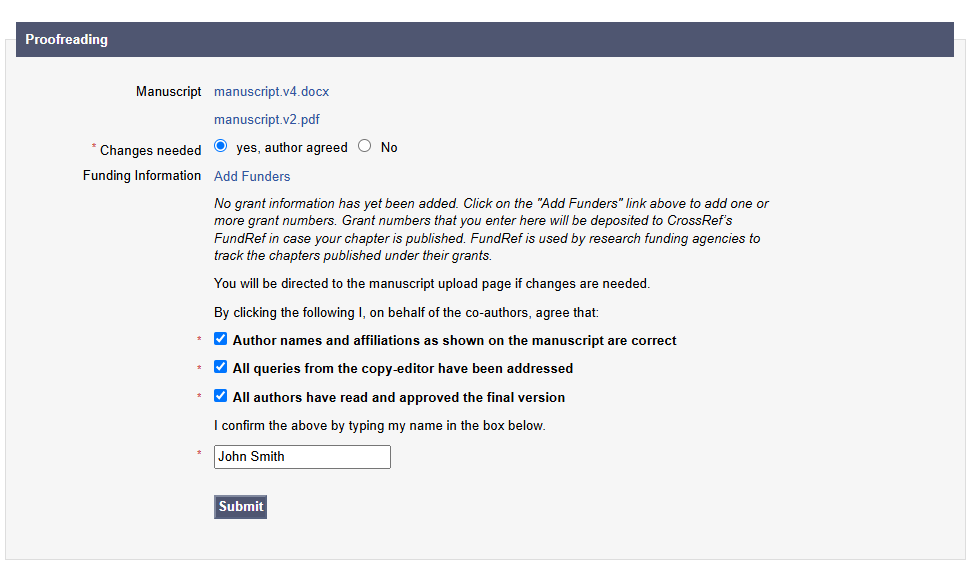
Then, the Editor can proofread the document as well and is prompted to upload the final version of the manuscript to be sent to conversion.
Conversion
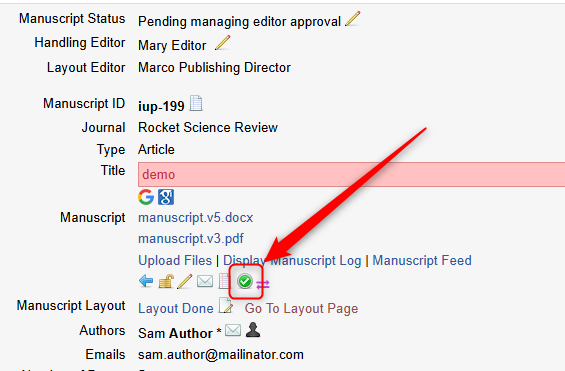
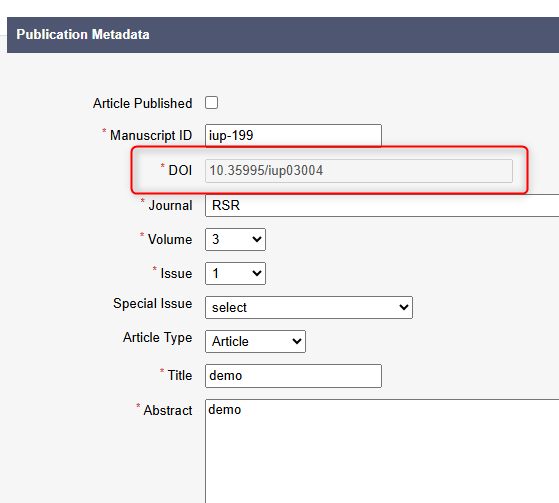
After Proofreading, the Editor is prompted to confirm the date of last revision and fill in all mandatory article metadata before sending to Conversion. The article metadata can be updated here:
Once the metadata is submitted, the DOI will be generated:
After this, the Editor can send the paper to manuscript conversion. This step triggers a notification to the Conversion mailbox after which the conversion manager can assign the paper to a conversion editor. Same as English and Layout, the Conversion Staff can be created in 'Employee Management'.
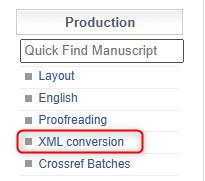
Here the Conversion Manager assigns the Conversion Editor:
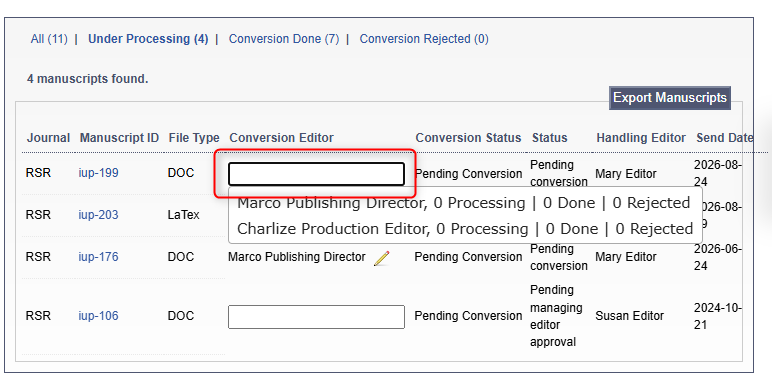
From here, the Conversion Editor can upload the finished Manuscript ZIP File and XML:
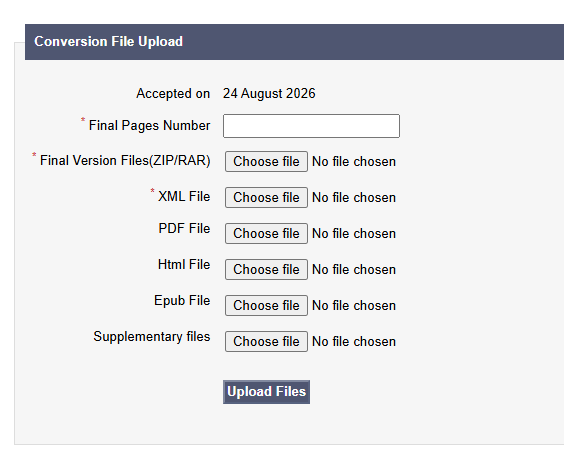
Once the conversion editor completes preparation of final manuscript files (XML and PDF), they reupload the files to JAMS and the status of the paper automatically changes to Pending Online. At this stage, the Publisher can go ahead and publish a paper or request a re-conversion of the paper in case updates are needed.