
Reviewer Vouchers
Reviewer vouchers let a journal thank its reviewers with a discount on a future Article Processing Charge (APC). Vouchers are only ever issued to reviewers, as a reward for a review report. They are then spent against an APC invoice when the reviewer publishes in the journal as an author.
Step 1: Configure Application Features
Important: Reviewer vouchers rely on the Billing Module, which makes JAMS create invoices for Article Processing Charges. Make sure the Billing Module is switched on before using vouchers.
To enable reviewer vouchers, select the option in Application Features.

Then click Configure to decide whether vouchers are mandatory to close peer review. Remember to click 'save' at the bottom of the Application Features page when you are finished.

Step 2: Set Up Voucher Amounts
Journal Editors choose, journal by journal, whether vouchers are offered and how much they are worth.
To create the voucher amounts you want to choose between, head to the Journal Settings.
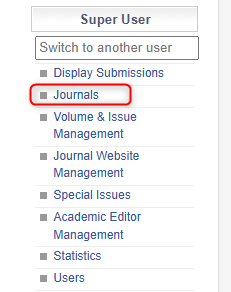
Once in the chosen journal’s settings, there will be options to create voucher amounts. Add each amount and its currency.
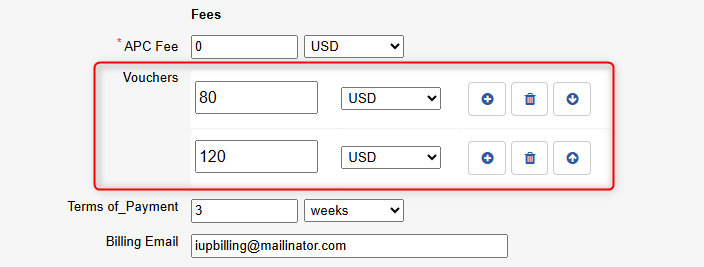
Step 3: Grant a Voucher to a Reviewer
When a review report is sent in, editors can grant vouchers to reviewers directly within the peer-review process.
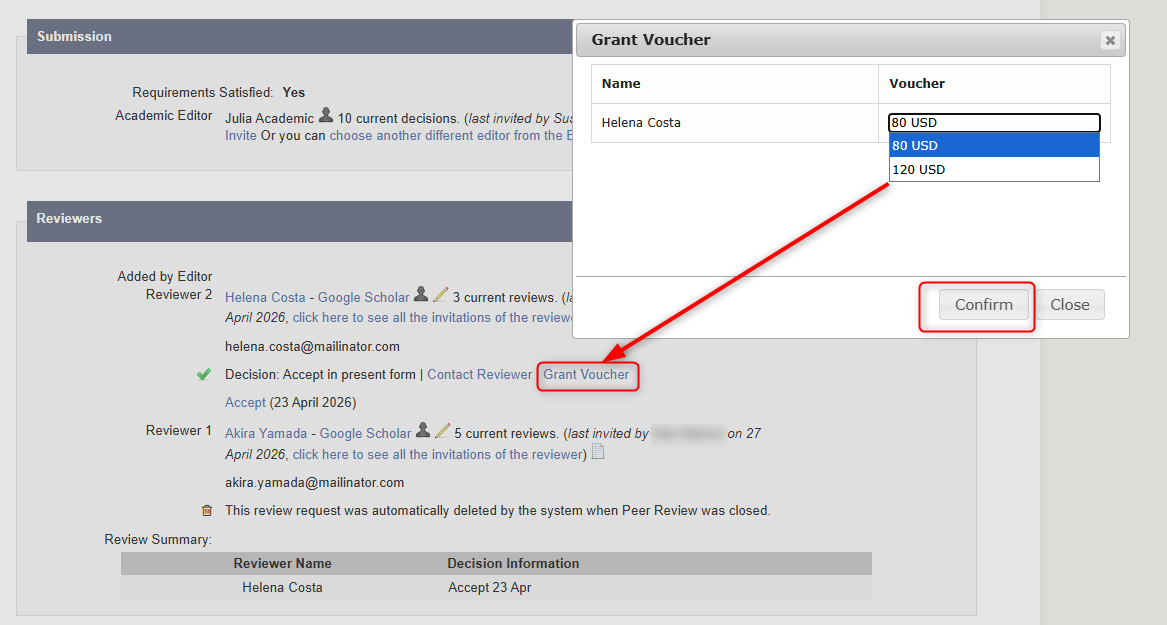
JAMS then emails the reviewer their voucher code.
📝 Note: Each voucher is valid for one year from the day it is granted and can be used once.
Step 4: The Reviewer Redeems the Voucher
A voucher can be redeemed in two ways:
- By the author at submission. The voucher code can be entered at the end of the manuscript submission process.
- By the editor after acceptance. The editor can apply the voucher to the APC invoice once the manuscript is accepted for publication.
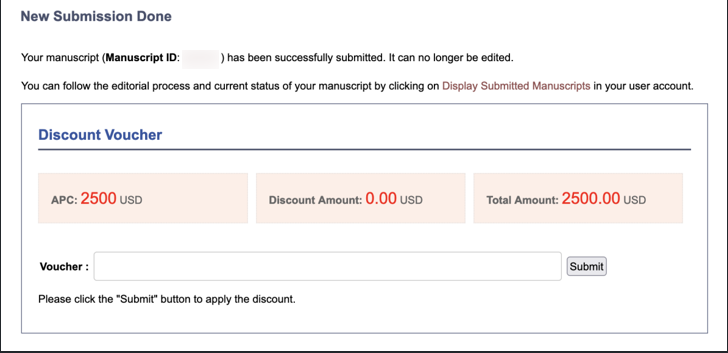
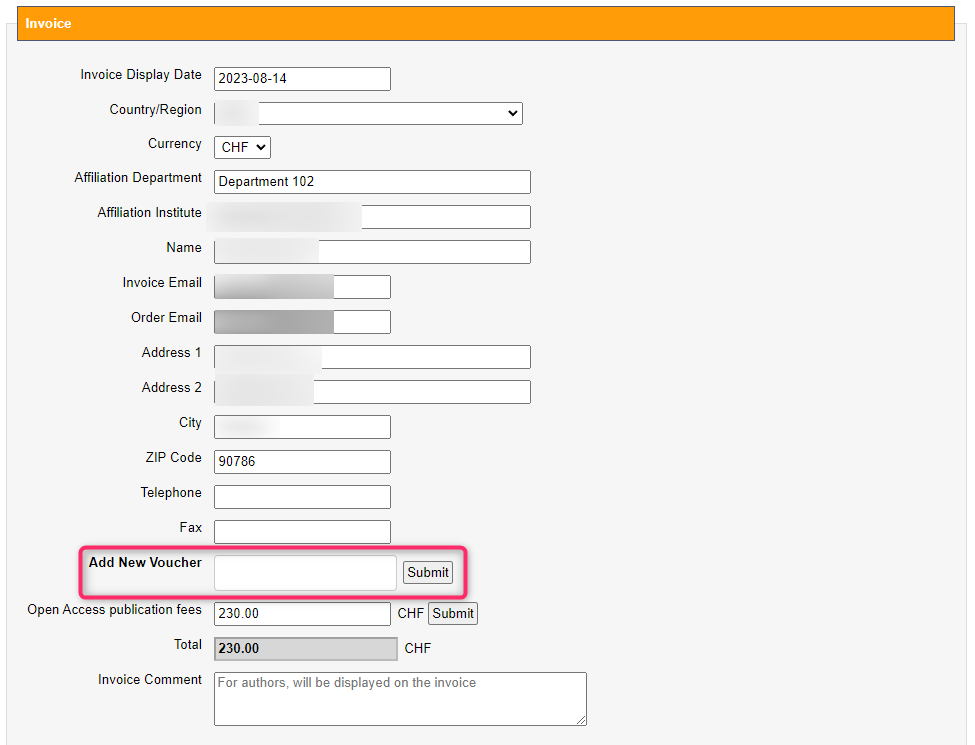
In both cases, the voucher amount is deducted from the total invoice amount.
📝 Note: JAMS only accepts a voucher if the reviewer it was granted to is listed as an author on the manuscript, matched by email address. The reviewer does not need to be the submitting author, but a voucher cannot be passed to a colleague who isn't on the author list.
💡 Top Tip: If a reviewer's voucher is rejected, check that the email address on their author record matches the one they reviewed with.