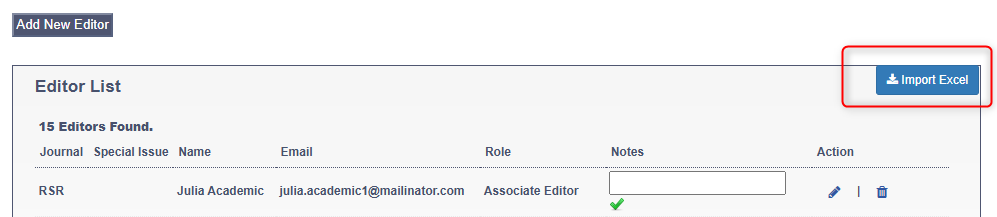
Academic Editor Management
Before you can invite members of the editorial board to your journal to make decisions on the manuscripts, they need to be added to the Editorial Board view. JAMS refers to these users has ‘Academic Editors’.
Editorial Board Members/Academic Editors are external scholars responsible for making a recommendation to accept or reject manuscripts, whereas the Editorial Office are responsible for processing the manuscript and (by default) not supposed to make decisions regarding the papers.
You can view all the Editorial Board Members and their roles in the Academic Editor Management view. This section in JAMS also lets you add and edit your Academic Editors.
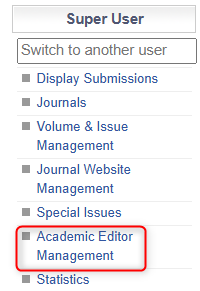
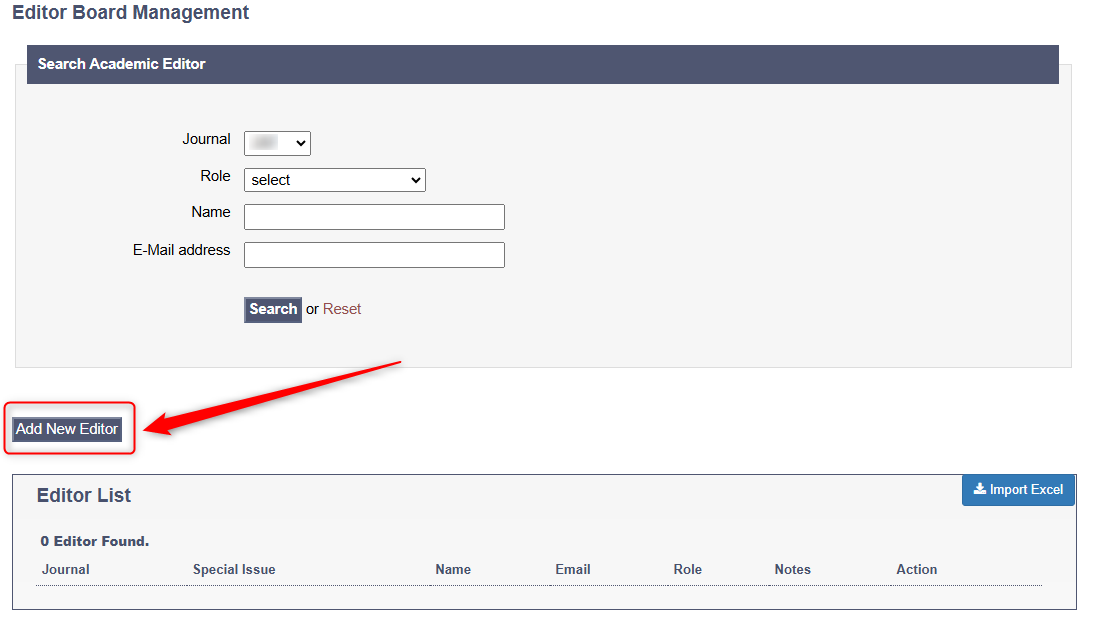
By following this option, a new page with view of all editorial members will be shown. Editors can be searched for by the following parameters: journal, role, name and email address. In order to add the editor into the system, click Add New Editor.
A new page will open up with the fields where the editor’s necessary data should be input.
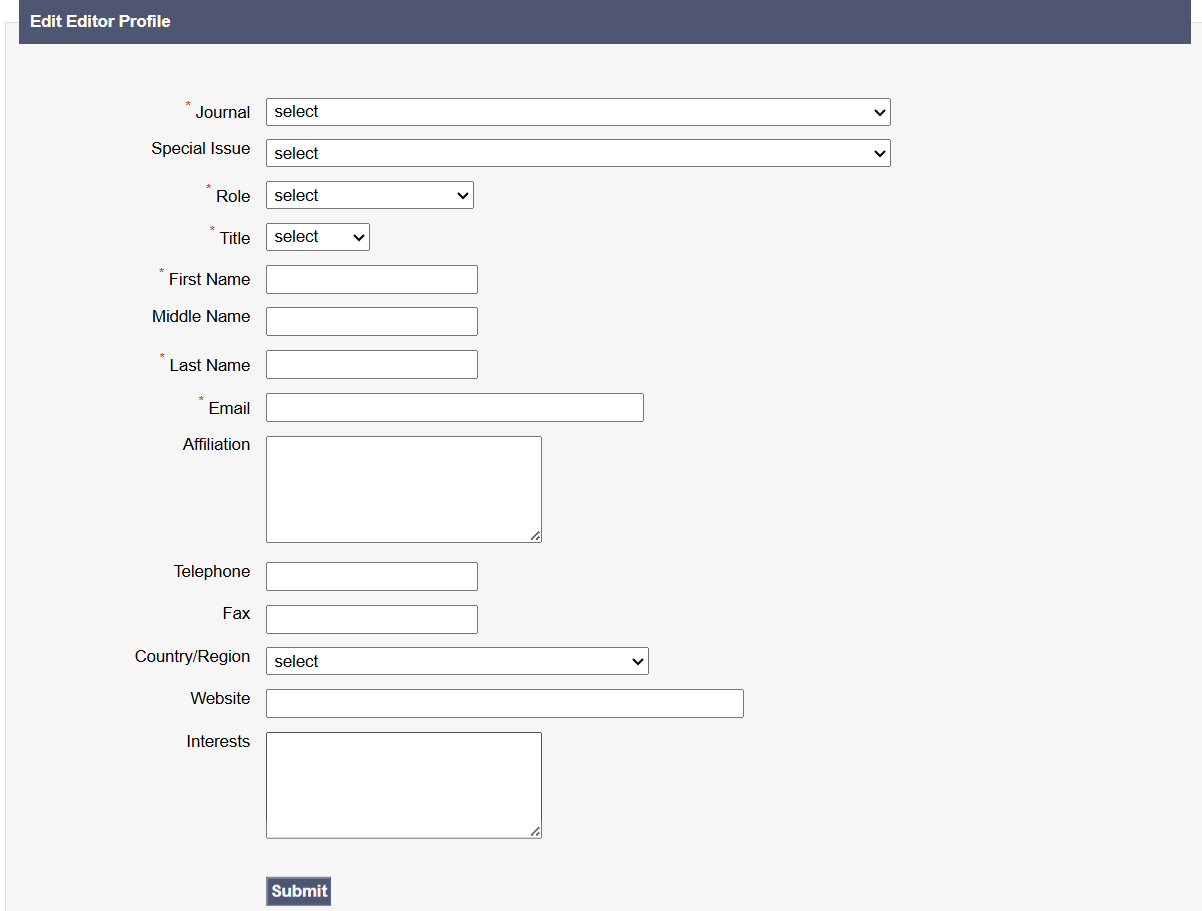
Upon entering the details and clicking the option Submit, the editor will be shown in the Editor List.

For more efficient AE adding, it is possible to import an Excel file with the data of multiple academic editors.