Configurable Terms and Conditions
JAMS lets you set up your own custom Terms and Conditions for authors to read and comply with when they submit a manuscript.
Users can either have site-wide Terms and Conditions or they can set journal-specific terms and conditions if they have multiple journals on JAMS.
Site-Wide Terms and Conditions
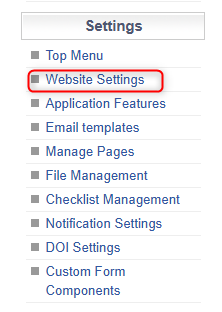
To configure one standard set of Terms and Conditions, head to the Website Settings.
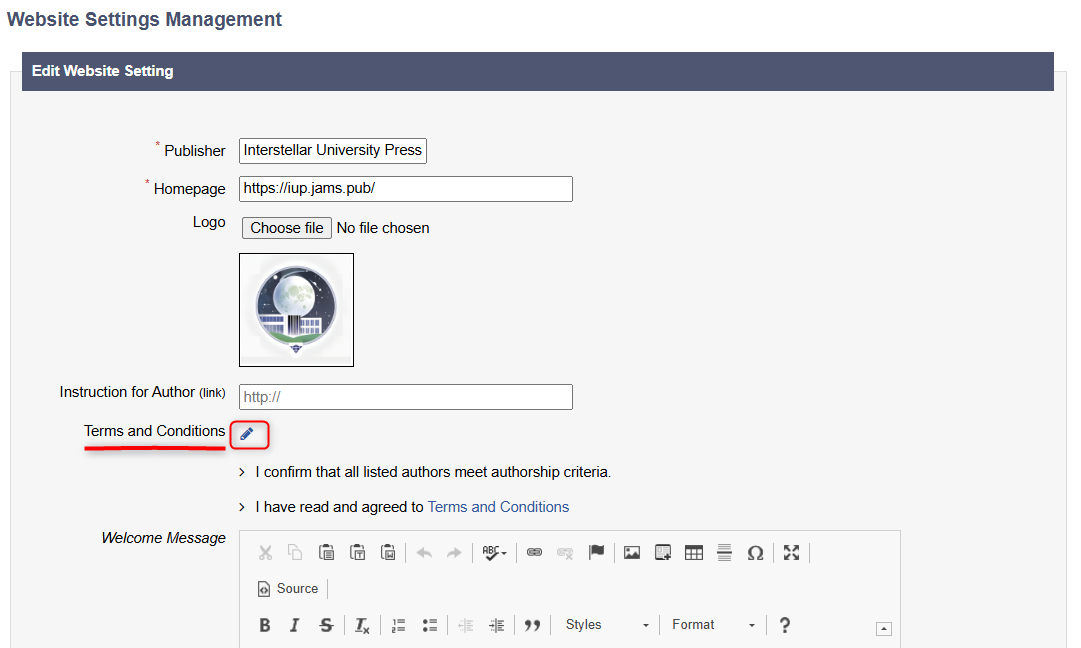
When you click the pencil icon, a pop up window will open, allowing you to edit the statements that the author must confirm before submitting a manuscript, e.g. ‘I confirm that all listed authors meet authorship criteria’. You can list the full Terms and Conditions on JAMS or you can also use the hyperlink function to link your own Terms and Conditions page, whether it’s hosted by JAMS or from your own website.

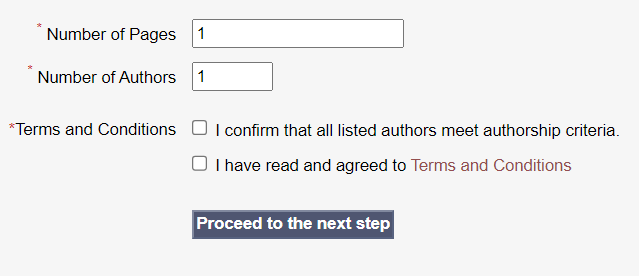
Once the Terms and Conditions have been entered and submitted, they will appear on the paper submission page as shown.
Journal-Specific Terms and Conditions
To set Terms and Conditions on a Journal by Journal basis, users must enable the Custom Terms and Conditions features in the Application Features page.
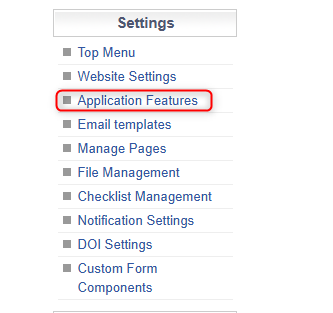
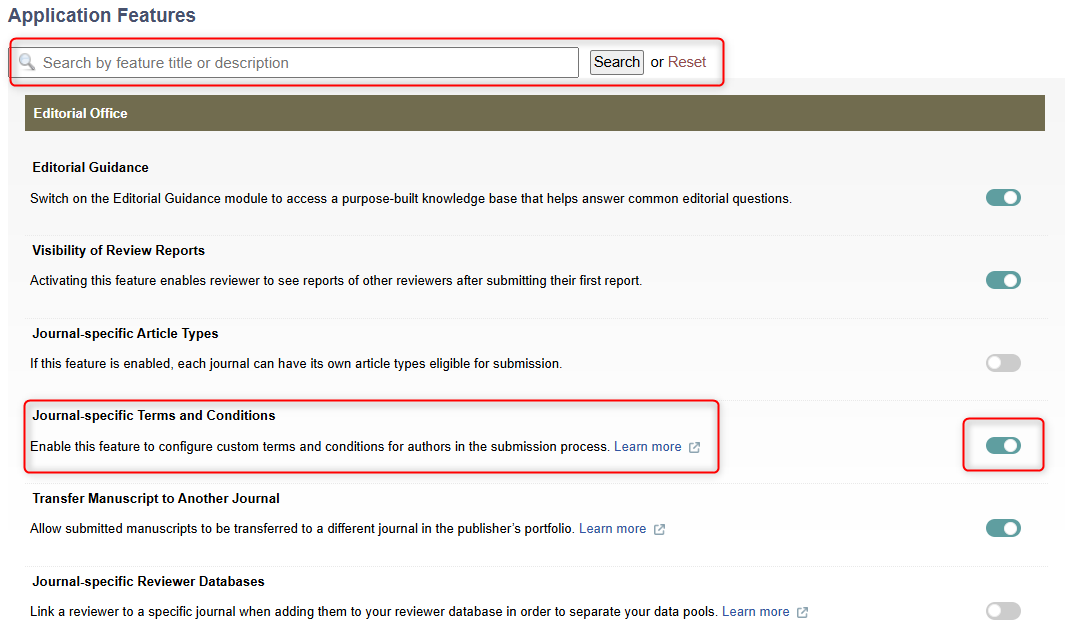
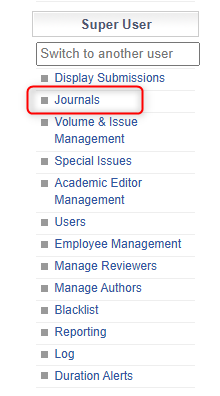
Then, once this has been enabled, users should head to the Journals Tab.
Then, the user can select a journal by clicking the pencil icon.
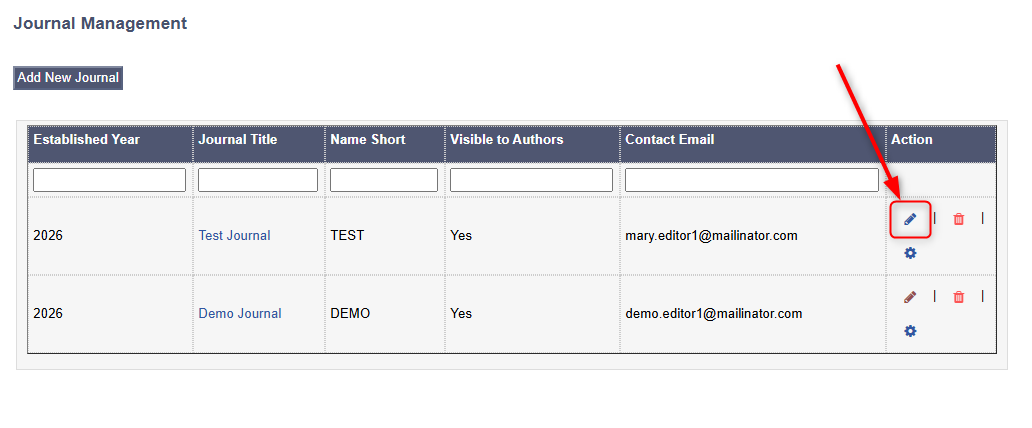
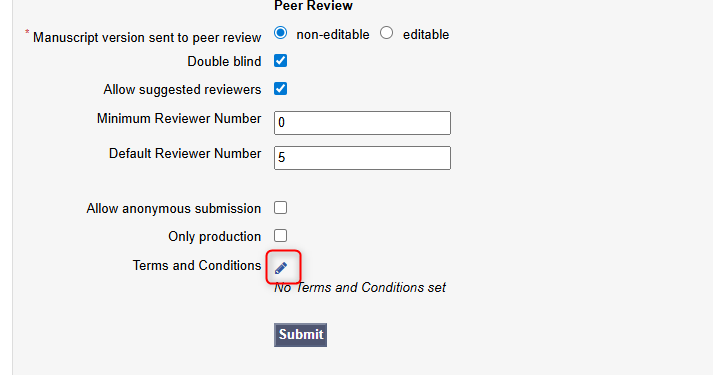
Then, users can scroll to the bottom of the page and click the pencil icon next to the Terms and Conditions option to customise them.