Similarity Check Integration
JAMS supports the integration with the plagiarism detection software iThenticate. Through this feature, users are able to send a manuscript to iThenticate from within JAMS and check the Similarity Report returned by iThenticate without leaving the JAMS application.
In order to utilize this integration, the publisher has to be Crossref member and must have subscribed to the Similarity Check service provided by Crossref.
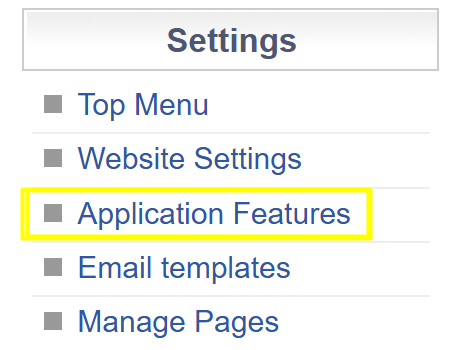
To set up the integration, navigate to the Application Features page under the Settings menu in JAMS and enable the Detect Plagiarism using Crossref Similarity Check feature.

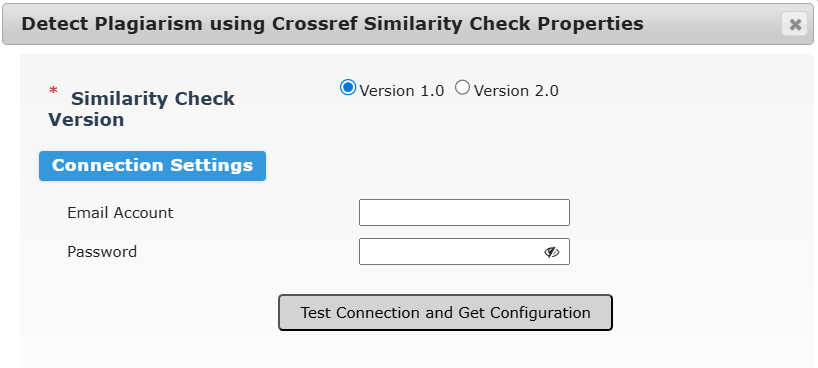
For the integration setup, click the Configure button, choose between version 1 and version 2 of the service and enter the Crossref Similarity Check credentials.
To know on which version of the service you are on, check out this Crossref article.
If you are on version 1, simply make sure that the connection works by hitting the Test Connection and Get Configuration button, then click OK and save.
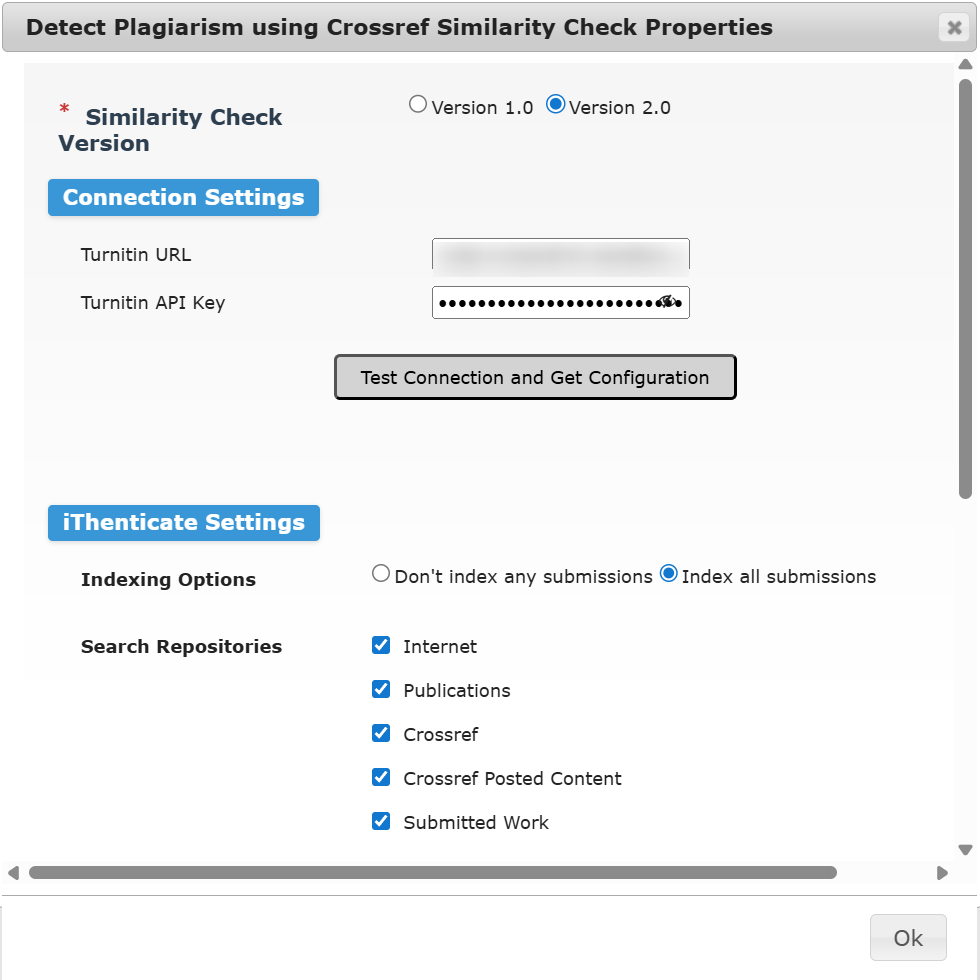
If you are on version 2, you need to first create an API scope and key on your Crossref Similarity Check space, as explained in this iThenticate article.
Once this is done, come back on the application features properties in JAMS, key in the Turnitin URL and API key and then press the Test Connection and Get Configuration button to see some additional settings that will influence how the similarity check is performed (indexing options, search repositories and exclusions). In this guide you find more information about the Similarity Report.
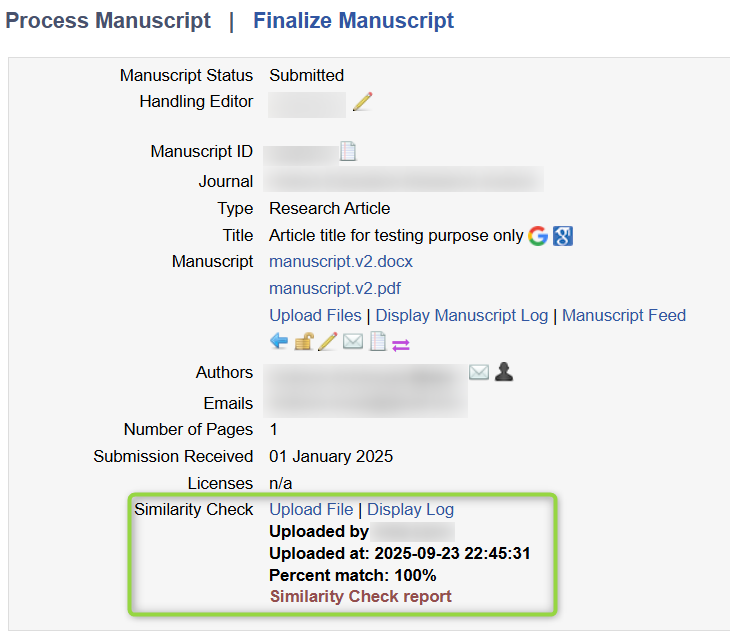
Running the Similarity Check service from JAMS is easy. Just click Upload File and wait for the reply that will display a percent match as well as a link to the Similarity Check report. You may need to refresh a few times until a response is received from iThenticate (estimated wait time is around 1 minute).