Publish an article
PUBLISHER
This article details how the journal Publisher can send an article for publication from JAMS onto their journal website. This process is automatic for clients using the JAMS website hosting, whereas for clients using a third-party host website, an FTP protocol needs to be enabled in the application features.
When an article is ready to be published and its status is listed as ‘Pending Online’, the Publisher must access the ‘Publishing' tab found on the left hand column in JAMS.
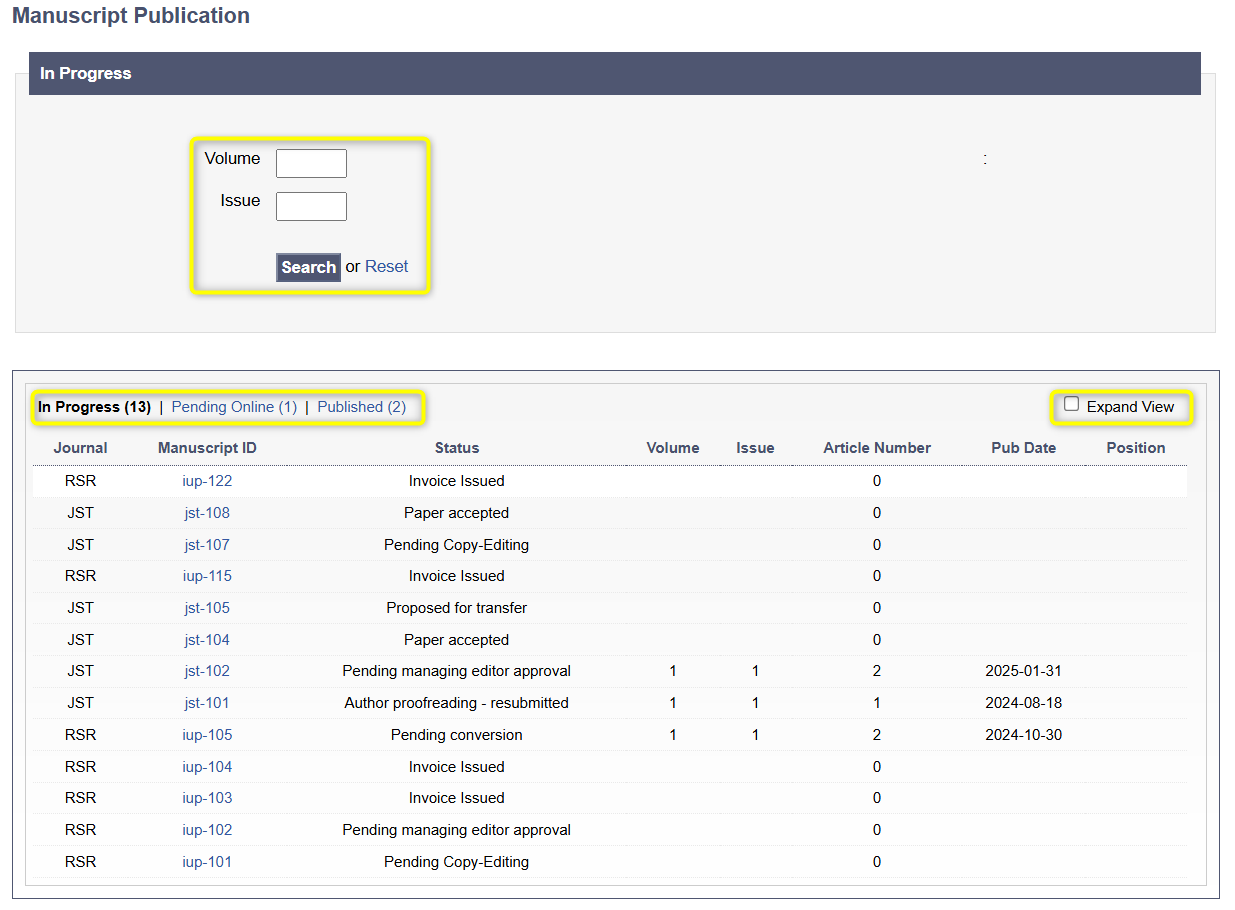
The dashboard on the publishing page sorts the manuscripts into three categories: In Progress (manuscripts going through the production stage), Pending Online and Published. Publishers can use the Volume & Issue search filters in order to find papers. If the Expand View box is checked, the dashboard view will include additional details such as the manuscript title, DOI number and (if applicable) the Special Issue name.
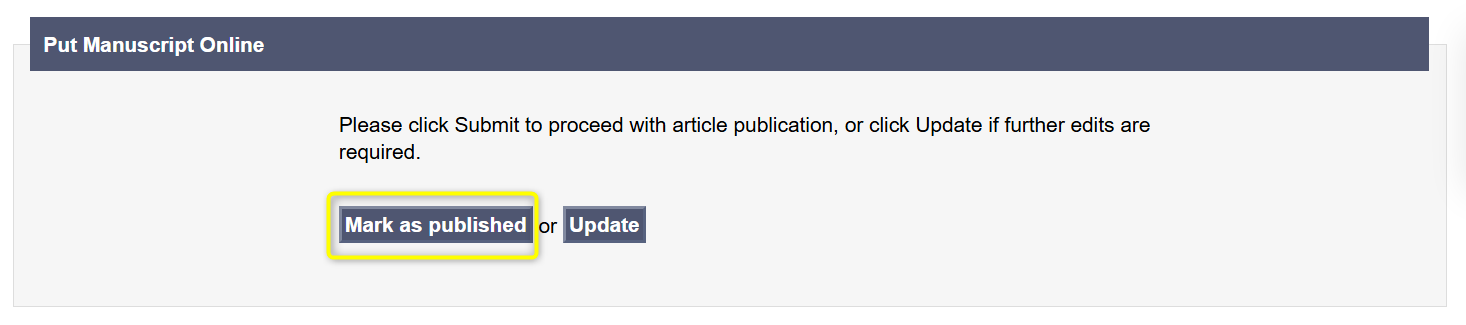
To publish a paper, publishers should find it in the Pending Online section and access it by clicking directly on the Manuscript ID. This will open up a manuscript page with a Put Manuscript Online section at the bottom.
If the paper is ready for publication, it can be directly put online by clicking the Mark as published option. In case edits are needed, publishers should choose the Update option which returns the paper to the conversion team for further edits.